
QARA Testcase Recorder Chrome 插件, crx 扩展下载


Build 270219.01 Copyright @ The Digital Group Inc. 2019
Features:
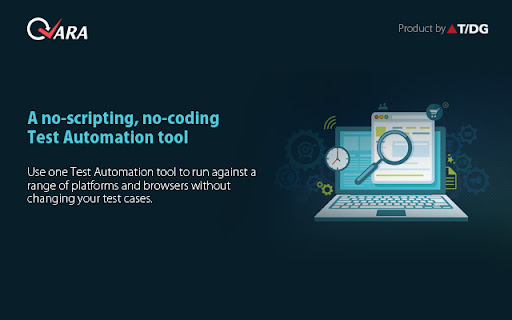
-Record and play back using QARA automation tool.
-Assertions is available during recording test case.
-Object spy feature is also available on the add-on.
Note: You would require QARA automation testing tool for recording test case.
Download your license/trial at: http://www.qaratest.com/
The Digital Group’s Quality Assurance with Rapid Automation (QARA) is an integrated platform that supports declarative, zero coding functional test automation design, management, planning, and execution along with built-in reporting capabilities. The platform is built on open source Selenium and offers excellent automated test tracking, management and reporting; enabling centralized, version-controlled test catalogs for a range of external interfaces, yields, licenses as well as workforce cost reductions while significantly boosting productivity in an agile-iterative product development lifecycle.
QARA supports remote test execution, grid execution, multi-browser, multi-platform testing, test scheduling, test case management and test data preparation along with JIRA and Team Foundation Server (TFS) integration. QARA also supports testing with Angular JS, BrowseEmAll, BrowserStack and Grid Execution giving users the ease of handling tests using just one platform.
QARA is tailor-made for organizations that wish to convert their manual test cases to automation scripts with a lean automation engineering team and want to dramatically reduce the testing cycle times without compromising on the quality of test scripts which get automatically generated. It presently generates Selenium C# which can help the testing departments service larger client needs and focus on improved team productivity. CIOs can now vouch for QARA to suit their automation needs as it works seamlessly with products developed using Sun, Microsoft and all open source technologies.
| 分类 | 💻开发者工具 |
| 插件标识 | kdcgalhjdhhaeonfcphehgmbpahlnloi |
| 平台 | Chrome |
| 评分 |
☆☆☆☆☆
|
| 评分人数 | |
| 插件主页 | https://chromewebstore.google.com/detail/qara-testcase-recorder/kdcgalhjdhhaeonfcphehgmbpahlnloi |
| 版本号 | 2.0 |
| 大小 | 1.78MiB |
| 官网下载次数 | 68 |
| 下载地址 | |
| 更新时间 | 2019-03-19 00:00:00 |
CRX扩展文件安装方法
第1步: 打开Chrome浏览器的扩展程序
第2步:
在地址栏输入: chrome://extensions/
第3步: 开启右上角的【开发者模式】
第4步: 重启Chrome浏览器 (重要操作)
第5步: 重新打开扩展程序管理界面
第6步: 将下载的crx文件直接拖入页面完成安装
注意:请确保使用最新版本的Chrome浏览器