
Snap Scroll Chrome 插件, crx 扩展下载
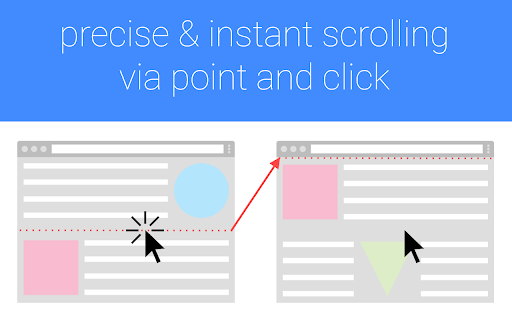

Delightfully fast and precise scrolling via point and click.
Snap Scroll helps you read better!
Ever wonder why reading in books is more comfortable than on screens? It's because the text in books doesn't move!
When you scroll the text you're reading, you're giving your eyes a hard time.
Snap Scroll brings the book experience to the screen by replacing that continuous movement with quick and predictable hops.
How does it work?
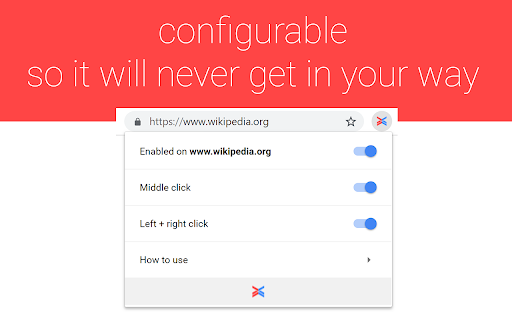
Keep your hands off that scroll wheel! When you finish reading a paragraph, just click directly below it using the middle mouse button (or the left and right button at the same time) to instantly bring the next paragraph to the top - like a virtual page turn! Because there is no interruption you'll be less distracted.
Give it a try and see your focus improve!
| 分类 | 📝工作流程与规划 |
| 插件标识 | kdegcljjpimkobjeejpfogokeedlbbje |
| 平台 | Chrome |
| 评分 |
☆☆☆☆☆
|
| 评分人数 | |
| 插件主页 | https://chromewebstore.google.com/detail/snap-scroll/kdegcljjpimkobjeejpfogokeedlbbje |
| 版本号 | 2.1.0 |
| 大小 | 58.03KiB |
| 官网下载次数 | 212 |
| 下载地址 | |
| 更新时间 | 2019-04-29 00:00:00 |
CRX扩展文件安装方法
第1步: 打开Chrome浏览器的扩展程序
第2步:
在地址栏输入: chrome://extensions/
第3步: 开启右上角的【开发者模式】
第4步: 重启Chrome浏览器 (重要操作)
第5步: 重新打开扩展程序管理界面
第6步: 将下载的crx文件直接拖入页面完成安装
注意:请确保使用最新版本的Chrome浏览器