
EcomListers Dropshipping Product Importer Chrome 插件, crx 扩展下载
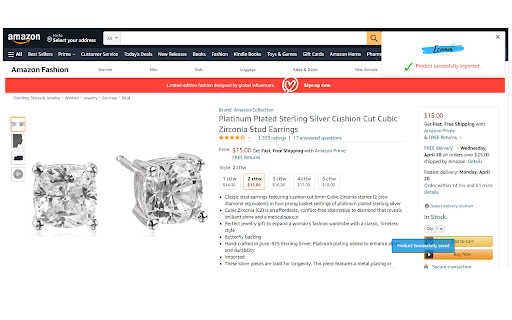
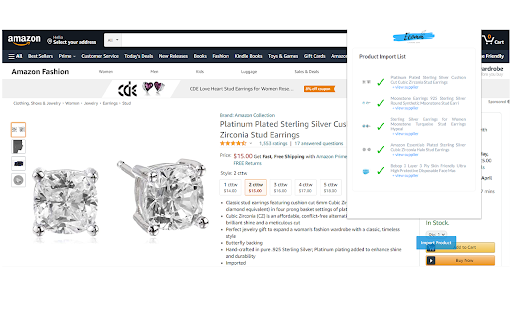

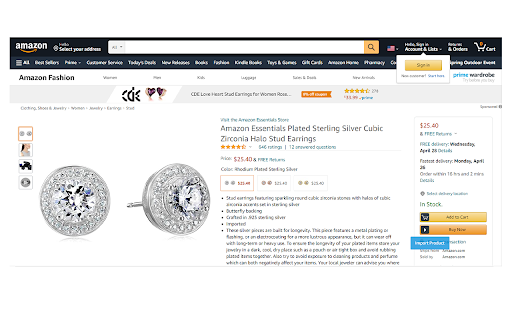
Best Dropshipping Product import tool . Import products from Aliexpress , Ebay , Amazon , Walmart , Flipkart and many more to come .
Import products from aliexpress , amazon, CJ dropshipping or ebay to ecomlisters and sell them any where you want .
You can list them on shopify , ebay or can create your own catalog from ecomlisters to sell directly to your clients .
Ecomlisters chrom extension helps you save your time and money in creating your own inventory and then dealing with dead stocks .
Just find the top selling products on amazon , ebay , aliexpress and import them to your store by just a single click .
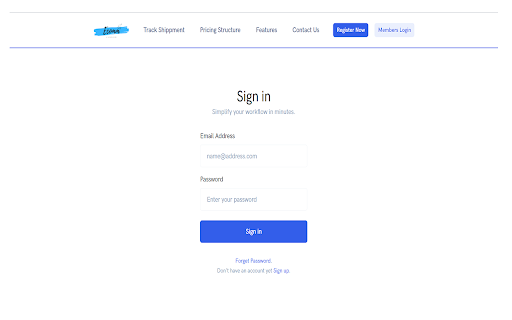
To start importing you need to have a account with ecomlisters .
Register here : https://ecomlisters.com/register
Step 1 - Signup for ecomlisters
Step 2 - Install EcomListers Dropshipping Product Importer Chrome Extension.
Step 3 - Visit a product details page on amazon , ebay , aliexpress .
Step 4 - Click the import product button on the bottom right of the page .
Step 5 - Ecomlisters extension with save the product details to ecomlisters product list page .
Step 6 - Verify and update the necessary details of the products and list them to your own online store .
Thanks it .
Happy Selling
| 分类 | 🛍️购物 |
| 插件标识 | kdkgmhccdlbklnflohopcaomigiklibg |
| 平台 | Chrome |
| 评分 |
☆☆☆☆☆
|
| 评分人数 | |
| 插件主页 | https://chromewebstore.google.com/detail/ecomlisters-dropshipping/kdkgmhccdlbklnflohopcaomigiklibg |
| 版本号 | 7.23.0.672 |
| 大小 | 290KiB |
| 官网下载次数 | 91 |
| 下载地址 | |
| 更新时间 | 2022-04-29 00:00:00 |
CRX扩展文件安装方法
第1步: 打开Chrome浏览器的扩展程序
第2步:
在地址栏输入: chrome://extensions/
第3步: 开启右上角的【开发者模式】
第4步: 重启Chrome浏览器 (重要操作)
第5步: 重新打开扩展程序管理界面
第6步: 将下载的crx文件直接拖入页面完成安装
注意:请确保使用最新版本的Chrome浏览器