
Agent Helper for Zendesk Chrome 插件, crx 扩展下载
Empower your customer service agents with smart sentence autocomplete
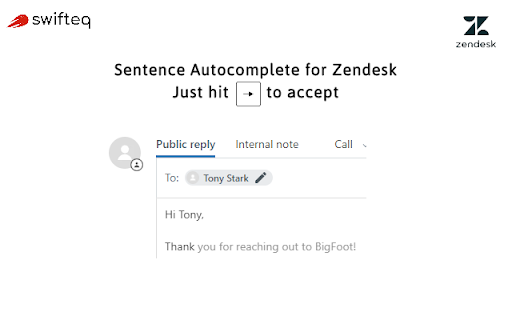
Help your customer service agents write faster than the speed of light with AI-powered sentence autocomplete. No upfront investment required. Works out of the box, no need to spend weeks training complex AI models.
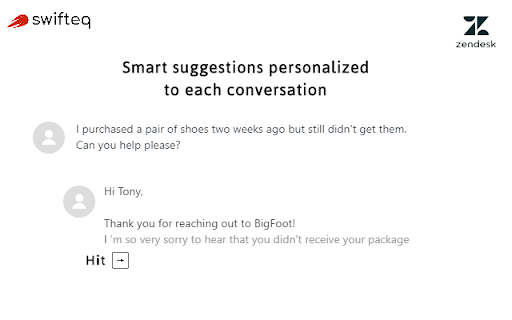
Agent Helper by Swifteq boosts the productivity of customer service teams by suggesting sentence completions that are relevant and personalized to each conversation.
Benefits to your team:
➤ Reduce repetitive typing while keeping a consistent tone, matching your brand style
➤ Boost agents productivity and reduce average handling times
➤ Works whether your team is using macros or not
➤ Increase support capacity and improve customer satisfaction
How it works:
Swifteq is leveraging Artificial Intelligence and unsupervised deep learning to automatically detect message-reply patterns in your historical helpdesk conversations. These patterns are then used to make sentence autocomplete suggestions to customer service agents based on what the customers are actually saying.
Getting started:
Enjoy free 14-day trial to evaluate Agent helper's value for your team.
Setup takes up to 5 minutes for the user: install, register, wait for the AI model to be built, and use!
Email us at [email protected] for more information.
| 分类 | 📝工作流程与规划 |
| 插件标识 | kfldmahbedbpalbpggpamkgiponfijkf |
| 平台 | Chrome |
| 评分 |
☆☆☆☆☆
|
| 评分人数 | |
| 插件主页 | https://chromewebstore.google.com/detail/agent-helper-for-zendesk/kfldmahbedbpalbpggpamkgiponfijkf |
| 版本号 | 25.2.3.0 |
| 大小 | 101KiB |
| 官网下载次数 | 25 |
| 下载地址 | |
| 更新时间 | 2020-11-27 00:00:00 |
CRX扩展文件安装方法
第1步: 打开Chrome浏览器的扩展程序
第2步:
在地址栏输入: chrome://extensions/
第3步: 开启右上角的【开发者模式】
第4步: 重启Chrome浏览器 (重要操作)
第5步: 重新打开扩展程序管理界面
第6步: 将下载的crx文件直接拖入页面完成安装
注意:请确保使用最新版本的Chrome浏览器