
WebRTC Leak Prevent Toggle Chrome 插件, crx 扩展下载
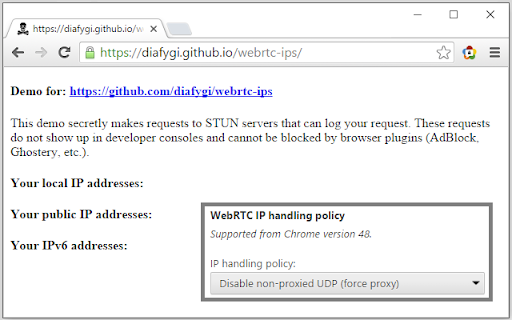
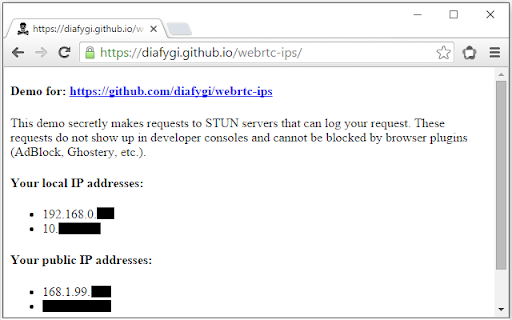
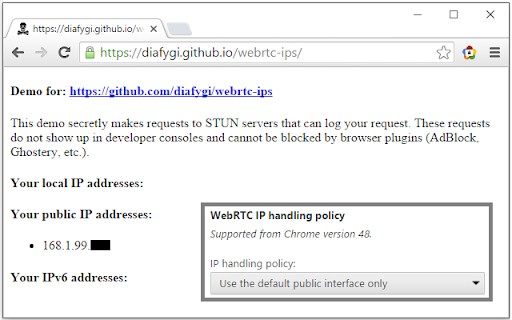
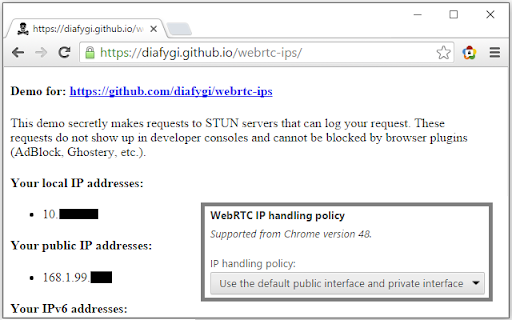
Toggle WebRTC leak prevention using the official API.
This extension allows for WebRTC leak prevention to be toggled on and off.
It provides the same functionality as my 'WebRTC Leak Prevent' extension, with the added ability to toggle the settings on and off easily.
IMPORTANT INFORMATION
WebRTC privacy options apply to the whole browser, not just the tab you're using. Be mindful of other tabs you may have open while disabling leak prevention.
ISSUES
Compatible only with Chrome version 42+. Newer options require at least Chrome 48.
GitHub source - https://github.com/aghorler/WebRTC-Leak-Prevent-Toggle
CHANGELOG
1.0.14 - Automatic option saving.
1.0.11 - Options now open automatically on first install, new description.
1.0.10 - Change in GitHub username, very minor fixes.
1.0.9 - Further legacy support, error handling, plus minor fixes.
| 分类 | 💻开发者工具 |
| 插件标识 | kignegkkmknfpincglcjggfbgghpamim |
| 平台 | Chrome |
| 评分 |
☆☆☆☆☆
|
| 评分人数 | |
| 插件主页 | https://chromewebstore.google.com/detail/webrtc-leak-prevent-toggl/kignegkkmknfpincglcjggfbgghpamim |
| 版本号 | 8.3 |
| 大小 | 18.83KiB |
| 官网下载次数 | 3000 |
| 下载地址 | |
| 更新时间 | 2018-05-17 00:00:00 |
CRX扩展文件安装方法
第1步: 打开Chrome浏览器的扩展程序
第2步:
在地址栏输入: chrome://extensions/
第3步: 开启右上角的【开发者模式】
第4步: 重启Chrome浏览器 (重要操作)
第5步: 重新打开扩展程序管理界面
第6步: 将下载的crx文件直接拖入页面完成安装
注意:请确保使用最新版本的Chrome浏览器