
Proxy Client for Onion Chrome 插件, crx 扩展下载
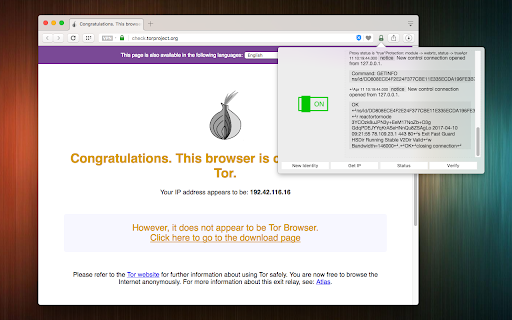

通过Tor的SOCKS5代理服务器隧道你的网络请求,并隐藏你的IP地址。
This extension starts a Tor executable in the background. When the connection is successfully established, it redirects all your traffic through Tor's anonymous network to increase user privacy. This is done by dynamically changing the proxy configuration of your browser to use a SOCKS5 proxy. When your browser is connected to the Tor network, WebRTC gets disabled to prevent your public IP from revealing your identity (optional feature; enabled by default).
Note that for the extension to run the Tor executable, you will need to install a NodeJS native client. This is a bridge connector to allow the extension to execute Tor commands. You will get a notification on the first use to install this native client.
It is possible to request a new identity (new IP) right from the extension toolbar popup view. Also, since the extension uses its unique communication port, there will be no conflict with other running instances of Tor (like Tor Browser).
Please read FAQ #1 on the homepage of the extension to prepare the extension to use Tor executable. For now, the Tor bundle is prepared for Mac OS and Windows. On Linux, install the tor as usual and set the path on the options page.
If you have a suggestion to improve this extension or have found a bug please report on https://github.com/andy-portmen/tor-bundle/
| 分类 | 📝工作流程与规划 |
| 插件标识 | kjoabfljeghcinlpjhdbdfbcflapkccm |
| 平台 | Chrome |
| 评分 |
★★★★☆
4.4
|
| 评分人数 | 32 |
| 插件主页 | https://chromewebstore.google.com/detail/proxy-client-for-onion/kjoabfljeghcinlpjhdbdfbcflapkccm |
| 版本号 | 0.2.1 |
| 大小 | 176KiB |
| 官网下载次数 | 5000 |
| 下载地址 | |
| 更新时间 | 2021-07-15 00:00:00 |
CRX扩展文件安装方法
第1步: 打开Chrome浏览器的扩展程序
第2步:
在地址栏输入: chrome://extensions/
第3步: 开启右上角的【开发者模式】
第4步: 重启Chrome浏览器 (重要操作)
第5步: 重新打开扩展程序管理界面
第6步: 将下载的crx文件直接拖入页面完成安装
注意:请确保使用最新版本的Chrome浏览器
同类插件推荐

TOR Browser Extension
Tor for browsers, one click start.Quickly use the

Onion VPN with Speed Control
同时连接到多个Tor代理服务器,使用负载平衡来提高匿名性和速度。This extension off

Onion Browser Button
Easily browse the internet using TOR proxy with ju

Anonymous
Search anything with 100 % anonymity.Our privacy p
Proxy Client for Onion
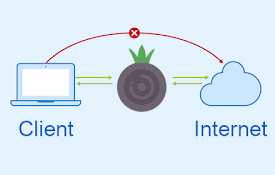
通过Tor的SOCKS5代理服务器隧道你的网络请求,并隐藏你的IP地址。This extension

Browse with Onion
Easily browse desired websites with tor (onion) pr
Tor Browser
Visit '.onion' sites and unlock blocked si

Open in Onion Browser
Improve your privacy while visiting unknown links

NOW Proxy
NOW any online and freeThe best multi nation based

FireX Proxy
FireX ProxyFireX Proxy allows you to change your I

Proxy Switchy Auto
Automated proxy switching per domain using PAC scr

Snowflake
利用你的网络连接,为遭受网络审查的用户提供访问 Tor 网络的方式。Snowflake allows

Deep Link
Context menu item for linking to a particular elem