
Monkai - AI Focus Assistant from Your New Tab Chrome 插件, crx 扩展下载


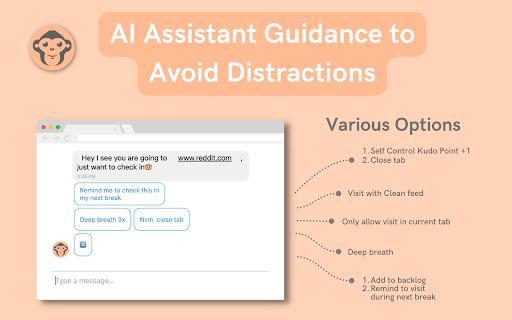

Monkai is your personal AI assistant that helps you to manage your focus, distraction, and mindfulness
? Monkai AI Assistant manages your focus and distraction from your New Tab. Get started by pressing Alt+K (Cmd⌘+K on macOS) or click on the extension icon.
Monkai will guide you away from distracting and unhealthy websites like Facebook, Instagram and help you to stay focused. It reduces your usage on these sites over time.
Monkai is artificial intelligence (AI) powered. it understands and guides your digital habit in a sensible way
Your privacy is our top priority!
We use advanced on-device federated learning to ensure your raw info is never stored or shared.???
| 分类 | 📝工作流程与规划 |
| 插件标识 | kkacpbmkhbljebmpcopjlgfgbgeokbhn |
| 平台 | Chrome |
| 评分 |
☆☆☆☆☆
|
| 评分人数 | |
| 插件主页 | https://chromewebstore.google.com/detail/monkai-ai-focus-assistant/kkacpbmkhbljebmpcopjlgfgbgeokbhn |
| 版本号 | 3.13.1 |
| 大小 | 17.55MiB |
| 官网下载次数 | 140 |
| 下载地址 | |
| 更新时间 | 2022-08-16 00:00:00 |
CRX扩展文件安装方法
第1步: 打开Chrome浏览器的扩展程序
第2步:
在地址栏输入: chrome://extensions/
第3步: 开启右上角的【开发者模式】
第4步: 重启Chrome浏览器 (重要操作)
第5步: 重新打开扩展程序管理界面
第6步: 将下载的crx文件直接拖入页面完成安装
注意:请确保使用最新版本的Chrome浏览器