
Scriptuna - ESV CrossRef and Search Tool Chrome 插件, crx 扩展下载
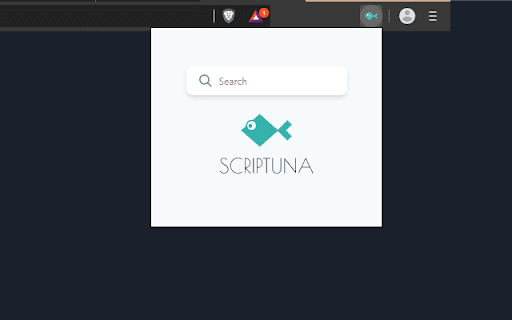
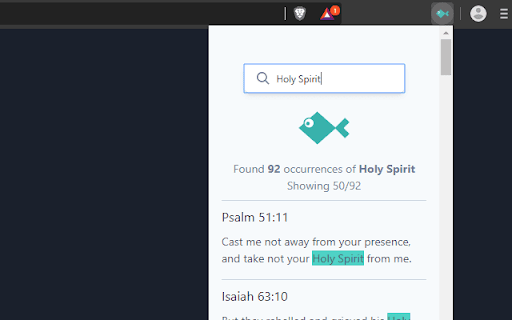
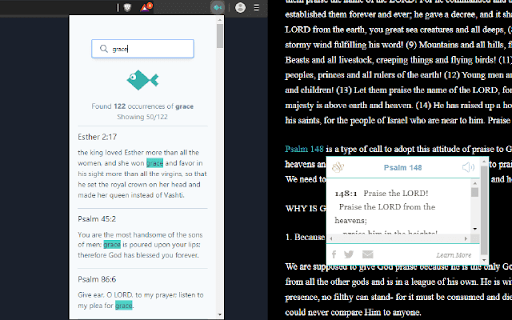
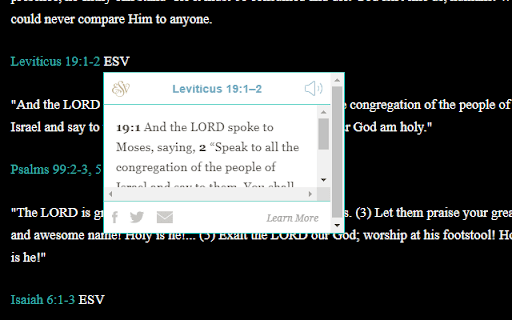
Get Bible verse references on a page as pop-ups with preview. Quickly search for occurrences of passages or texts in the ESV Bible
FEATURES
- Automatically get Bible verse references as a pop-up when you hover on such verses.
- Search for occurrences of Bible passages without leaving the current tab via a pop-up on your toolbar.
HOW IT WORKS
- It adds ESV CrossRef tool scripts to your current tab. The crossref tool can identify Bible references of the following variations John 3:16, Jn 3:16, Ephesians 1:3-14 Read more on the crossref tool here https://www.esv.org/resources/esv-crossreference-tool/
- The search feature uses the ESV Text API to get occurrences of Bible texts/passages. You'll need an API key to use this feature. In depth guide https://timkoech.co.ke/blog/how-to-get-the-esv-api-key/
| 分类 | 📝工作流程与规划 |
| 插件标识 | kldjacmjenifjffddjiphbjpadeibfah |
| 平台 | Chrome |
| 评分 |
☆☆☆☆☆
|
| 评分人数 | |
| 插件主页 | https://chromewebstore.google.com/detail/scriptuna-esv-crossref-an/kldjacmjenifjffddjiphbjpadeibfah |
| 版本号 | 2025.2.20.0 |
| 大小 | 79.4KiB |
| 官网下载次数 | 144 |
| 下载地址 | |
| 更新时间 | 2019-12-01 00:00:00 |
CRX扩展文件安装方法
第1步: 打开Chrome浏览器的扩展程序
第2步:
在地址栏输入: chrome://extensions/
第3步: 开启右上角的【开发者模式】
第4步: 重启Chrome浏览器 (重要操作)
第5步: 重新打开扩展程序管理界面
第6步: 将下载的crx文件直接拖入页面完成安装
注意:请确保使用最新版本的Chrome浏览器