
YouTube Distraction Disabler Chrome 插件, crx 扩展下载

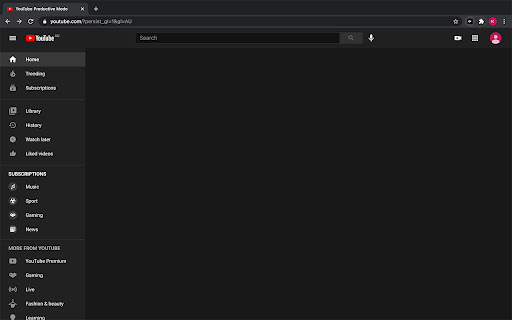
Remove distracting video suggestions on YouTube.
Just spent an hour on YouTube but still haven't got to the video that you set out to watch? Wanted to learn something on YouTube but always get distracted by your recommended feed? Fear no more, "YouTube Distraction Disabler" is here to remove all of the unrelated videos on YouTube and only show you what you want.
Finally got some free time and want to deliberately procrastinate on YouTube? That's ok too, just simply click the extension icon and turn off one of the options that you choose to block. The options are "Home", "Related", "Comments" and "Notifications", which corresponds to your home feed, related videos next to the video you're currently watching, the comments down below as well as the notification bell.
| 分类 | 📝工作流程与规划 |
| 插件标识 | klhmhijgenkomhcobnbdnjkkefbghfab |
| 平台 | Chrome |
| 评分 |
☆☆☆☆☆
|
| 评分人数 | |
| 插件主页 | https://chromewebstore.google.com/detail/youtube-distraction-disab/klhmhijgenkomhcobnbdnjkkefbghfab |
| 版本号 | 0.0.4 |
| 大小 | 12.64KiB |
| 官网下载次数 | 466 |
| 下载地址 | |
| 更新时间 | 2023-01-18 00:00:00 |
CRX扩展文件安装方法
第1步: 打开Chrome浏览器的扩展程序
第2步:
在地址栏输入: chrome://extensions/
第3步: 开启右上角的【开发者模式】
第4步: 重启Chrome浏览器 (重要操作)
第5步: 重新打开扩展程序管理界面
第6步: 将下载的crx文件直接拖入页面完成安装
注意:请确保使用最新版本的Chrome浏览器