
Limber Chrome 插件, crx 扩展下载
Refresh your posture
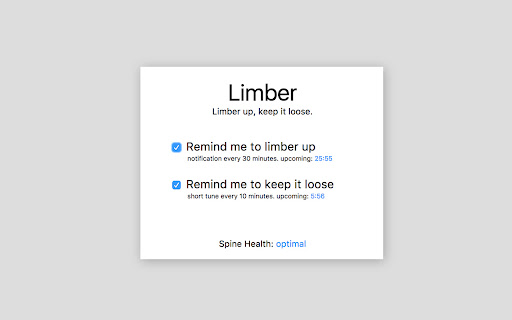
Limber reminds you to take frequent breaks to stretch your limbs and maintain mobility.
No chair seems to consistently produce an ideal posture [1] and intense static activity could cause progressive deterioration of joints, muscles, and tendon/ligament sheaths [2]. Frequently changing your working posture, stretching your limbs and loosening your body is the current ideal method to prevent spinal health deterioration.
With a pleasant tune, Limber reminds you to take breaks to loosen up and change your static posture. Limber knows when you're not around and will automatically turn off notifications until you get back.
Source code: https://github.com/lsharir/limber
[1] A pilot investigation into the effects of different office chairs on spinal angles https://www.ncbi.nlm.nih.gov/pmc/articles/PMC3326090/
[2] Sauter, S., et al., “Improving VDT Work: Causes and Control of Health Concerns in VDT Use” p.13-32
| 分类 | 📝工作流程与规划 |
| 插件标识 | kmeibikjccjlfedeklmlfahpfajefjan |
| 平台 | Chrome |
| 评分 |
☆☆☆☆☆
|
| 评分人数 | |
| 插件主页 | https://chromewebstore.google.com/detail/limber/kmeibikjccjlfedeklmlfahpfajefjan |
| 版本号 | 25.2.3.0 |
| 大小 | 468KiB |
| 官网下载次数 | 476 |
| 下载地址 | |
| 更新时间 | 2017-08-08 00:00:00 |
CRX扩展文件安装方法
第1步: 打开Chrome浏览器的扩展程序
第2步:
在地址栏输入: chrome://extensions/
第3步: 开启右上角的【开发者模式】
第4步: 重启Chrome浏览器 (重要操作)
第5步: 重新打开扩展程序管理界面
第6步: 将下载的crx文件直接拖入页面完成安装
注意:请确保使用最新版本的Chrome浏览器