
JavaScript Injector Chrome 插件, crx 扩展下载
Inject javascript in a given website.
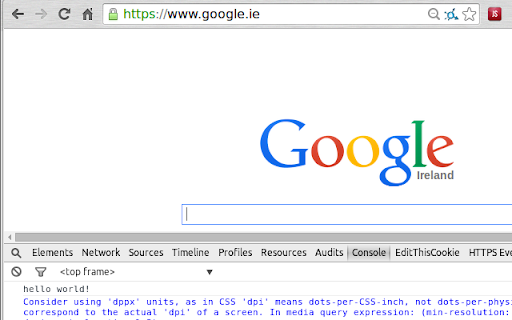
This chrome extension has the purpose of injecting Java Script into a target URL every time that page loads.
You can inject your favourite script to extend the page functionality.
Features
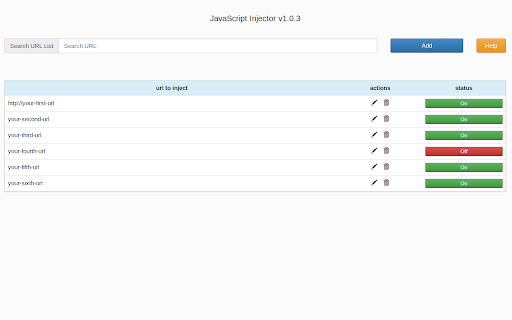
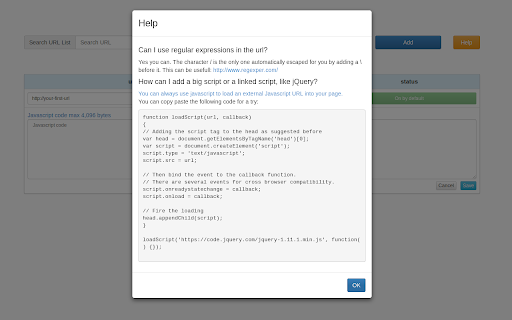
- Add urls with or without regular expressions
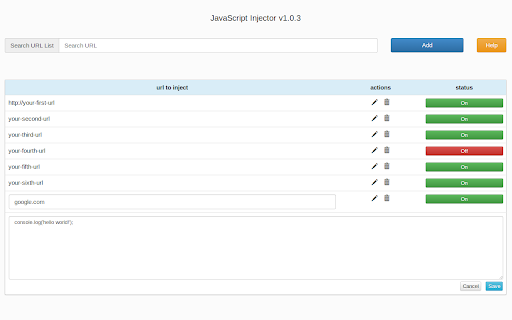
- Keep a list of your urls and edit your js code inline
- You can turn on/off the js code when you wish
- Search trough your URLs
| 分类 | 💻开发者工具 |
| 插件标识 | knmnopfmccchnnfdoiddbihbcboeedll |
| 平台 | Chrome |
| 评分 |
☆☆☆☆☆
|
| 评分人数 | |
| 插件主页 | https://chromewebstore.google.com/detail/javascript-injector/knmnopfmccchnnfdoiddbihbcboeedll |
| 版本号 | 1.0.4 |
| 大小 | 397KiB |
| 官网下载次数 | 4000 |
| 下载地址 | |
| 更新时间 | 2014-08-21 00:00:00 |
CRX扩展文件安装方法
第1步: 打开Chrome浏览器的扩展程序
第2步:
在地址栏输入: chrome://extensions/
第3步: 开启右上角的【开发者模式】
第4步: 重启Chrome浏览器 (重要操作)
第5步: 重新打开扩展程序管理界面
第6步: 将下载的crx文件直接拖入页面完成安装
注意:请确保使用最新版本的Chrome浏览器