
IAUTabler Chrome 插件, crx 扩展下载
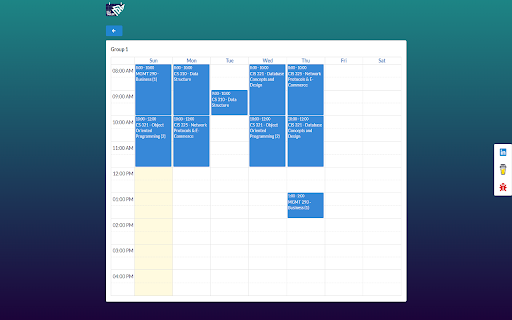

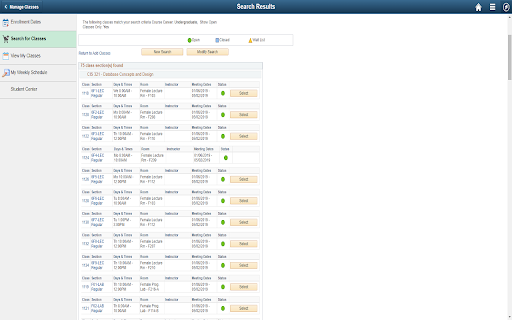
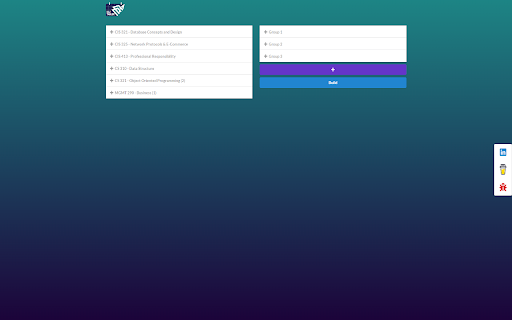
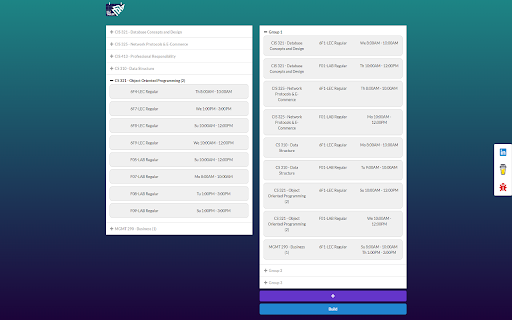
Create tables from PeopleSoft's search section.
IAUTabler is built to facilitate choosing a group before enrollment. It is built for IAU students who needs to compare between different groups to choose the most suitable group for them. Instead of using MS Word or Excel to create time tables, IAUTabler supports drag-n-drop mechanism to facilitate the process.
Disclaimer: If you installed the extension while PeopleSoft is already opened, you might need to refresh PeopleSoft page then run the extension. Also, you need to search for classes first before running the extension.
UI designed by: https://www.linkedin.com/in/khalid-awlaqi
| 分类 | 📝工作流程与规划 |
| 插件标识 | knnklkpdcepnlfaeafjabbpoleidnloo |
| 平台 | Chrome |
| 评分 |
☆☆☆☆☆
|
| 评分人数 | |
| 插件主页 | https://chromewebstore.google.com/detail/iautabler/knnklkpdcepnlfaeafjabbpoleidnloo |
| 版本号 | 25.2.3.0 |
| 大小 | 2.06MiB |
| 官网下载次数 | 164 |
| 下载地址 | |
| 更新时间 | 2021-09-02 00:00:00 |
CRX扩展文件安装方法
第1步: 打开Chrome浏览器的扩展程序
第2步:
在地址栏输入: chrome://extensions/
第3步: 开启右上角的【开发者模式】
第4步: 重启Chrome浏览器 (重要操作)
第5步: 重新打开扩展程序管理界面
第6步: 将下载的crx文件直接拖入页面完成安装
注意:请确保使用最新版本的Chrome浏览器