
Blackboard Grade Exporter Chrome 插件, crx 扩展下载
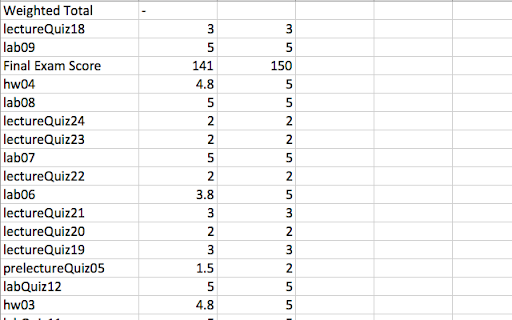
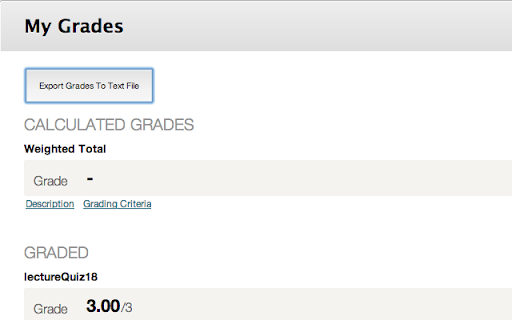
Allows you to export your grades from Blackboard.
This extension adds a much-needed feature to the Blackboard course management platform. It allows you to export your grades from each course's "My Grades" tab to a tab-delimited text file, which you can import directly into Excel to do any necessary grade calculations.
Currently this extension only supports Purdue University's Blackboard installation, but if you provide me with the link to your school's blackboard installation, I may be able to add support for it.
| 分类 | 📝工作流程与规划 |
| 插件标识 | kpmnodpaiojmimoipcgnfbfiajegpfmo |
| 平台 | Chrome |
| 评分 |
☆☆☆☆☆
|
| 评分人数 | |
| 插件主页 | https://chromewebstore.google.com/detail/blackboard-grade-exporter/kpmnodpaiojmimoipcgnfbfiajegpfmo |
| 版本号 | 25.2.3.0 |
| 大小 | 46.21KiB |
| 官网下载次数 | 237 |
| 下载地址 | |
| 更新时间 | 2014-05-10 00:00:00 |
CRX扩展文件安装方法
第1步: 打开Chrome浏览器的扩展程序
第2步:
在地址栏输入: chrome://extensions/
第3步: 开启右上角的【开发者模式】
第4步: 重启Chrome浏览器 (重要操作)
第5步: 重新打开扩展程序管理界面
第6步: 将下载的crx文件直接拖入页面完成安装
注意:请确保使用最新版本的Chrome浏览器