
Nukem Chrome 插件, crx 扩展下载
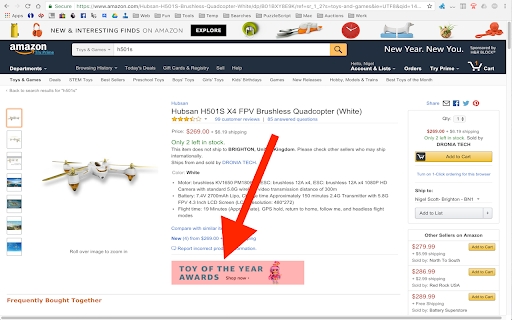
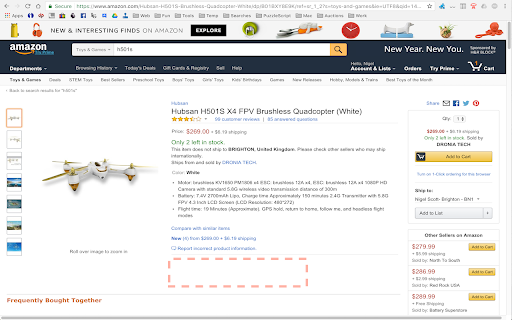
Remove elements from web pages permanently
There are plenty of Chrome extensions that allow you to remove elements from the page, but they all seem to be temporary. This one remembers whats been removed, and removes it whenever the page is loaded again.
Once installed, press the toolbar button to start removing elements. Press the button again to stop. The options page will then be displayed showing what you've removed. Just press Close if you don't want to make any tweaks.
Wildcards can be used to make it work on multiple pages from the same site (for example) and an optional delay can be set in case the element you want to remove doesn't get displayed right away.
Contribute: https://github.com/Gruntfuggly/nukem
Notes:
Unfortunately, some websites generate content dynamically in a way that this extension can't cope with. Right click the toolbar icon to visit the options page. Then try adding a delay or reducing the scope (with the left arrow button) if the element doesn't get removed when the page is refreshed after saving your changes.
| 分类 | ♿无障碍访问 |
| 插件标识 | kpogandfndblomniegfaeakkjchmiedi |
| 平台 | Chrome |
| 评分 |
☆☆☆☆☆
|
| 评分人数 | |
| 插件主页 | https://chromewebstore.google.com/detail/nukem/kpogandfndblomniegfaeakkjchmiedi |
| 版本号 | 0.6 |
| 大小 | 44.5KiB |
| 官网下载次数 | 1000 |
| 下载地址 | |
| 更新时间 | 2017-01-31 00:00:00 |
CRX扩展文件安装方法
第1步: 打开Chrome浏览器的扩展程序
第2步:
在地址栏输入: chrome://extensions/
第3步: 开启右上角的【开发者模式】
第4步: 重启Chrome浏览器 (重要操作)
第5步: 重新打开扩展程序管理界面
第6步: 将下载的crx文件直接拖入页面完成安装
注意:请确保使用最新版本的Chrome浏览器