
Forum feeder Chrome 插件, crx 扩展下载
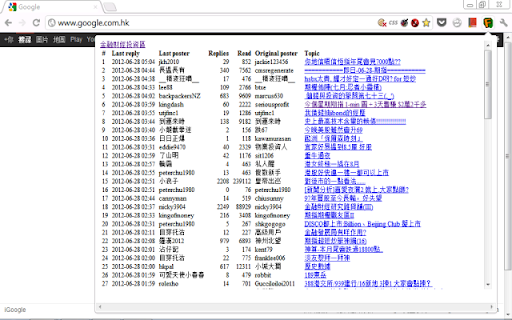
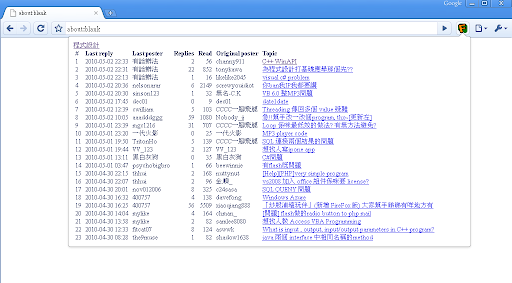
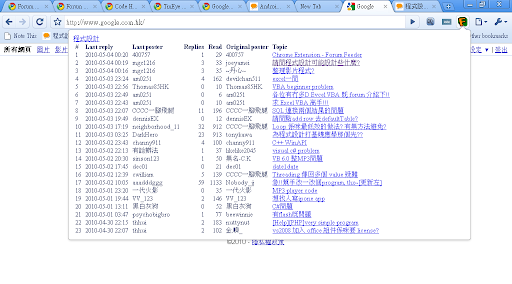
A forum monitor. (In slow development)
As inspired by the StockMate(http://computer.discuss.com.hk/viewthread.php?tid=11322538) done by xiaoqiang888, an extended version of the forum part is planned for Chrome. The stock part will be a separate extension once the core of this extension is mature.
In the early stage of this extension, only the "discuss" forum in Hong Kong is supported.
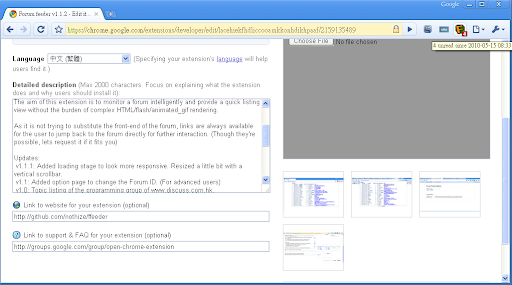
The aim of this extension is to monitor a forum intelligently and provide a quick listing view without the burden of complex HTML/flash/animated_gif rendering.
As it is not trying to substitute the front-end of the forum, links are always available for the user to jump back to the forum directly for further interaction. (Though they're possible, lets request it if it fits you)
Updates:
v1.2:
- Dynamic popup height relative to window height
- Retrieve arbitrary number of threads (support multiple page reading)
- Fix forum id link extraction
v1.1.4: Removed the use of referer.us.
v1.1.3: Bug fix for false-negative of new post.
v1.1.2: Added simple monitoring algorithm. Use badge to show new post. Open option page for simple preference.
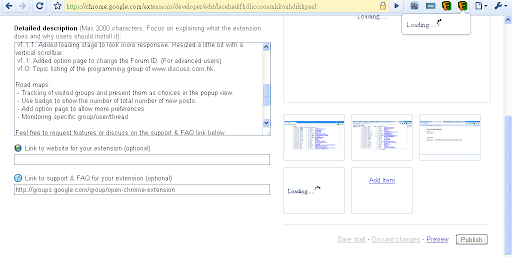
v1.1.1: Added loading stage to look more responsive. Resized a little bit with a vertical scrollbar.
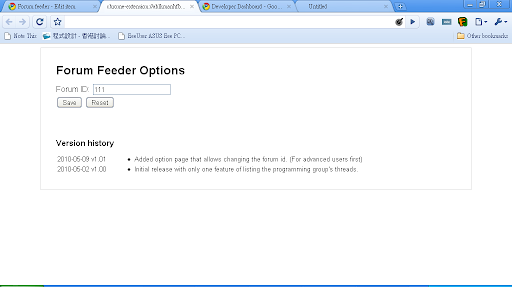
v1.1: Added option page to change the Forum ID. (For advanced users)
v1.0: Topic listing of the programming group of www.discuss.com.hk.
Road maps:
- Tracking of visited groups and present them as choices in the popup view.
- Use badge to show the number of total number of new posts.
- Add option page to allow more preferences.
- Monitoring specific group/user/thread.
Usage tips:
- Right click on the extension icon to open option page.
- Examine the fid by look at the discuss.com.hk.........fid=XXX and set in the option page to monitor group other than the programming.
Feel free to request features or discuss on the support & FAQ link below.
Editable ideas/design document on Google Docs:
http://docs.google.com/Doc?docid=0AbgHsVEL-lZ3ZG0zcjRqd18xOTVjMnRjcDRkeg&hl=en
Let's share your precious opinion with me!
| 分类 | 📝工作流程与规划 |
| 插件标识 | lacehiekfhdliccooamkkonhdikhpaaf |
| 平台 | Chrome |
| 评分 |
☆☆☆☆☆
|
| 评分人数 | |
| 插件主页 | https://chromewebstore.google.com/detail/forum-feeder/lacehiekfhdliccooamkkonhdikhpaaf |
| 版本号 | 25.2.3.0 |
| 大小 | 42.27KiB |
| 官网下载次数 | 9 |
| 下载地址 | |
| 更新时间 | 2014-04-27 00:00:00 |
CRX扩展文件安装方法
第1步: 打开Chrome浏览器的扩展程序
第2步:
在地址栏输入: chrome://extensions/
第3步: 开启右上角的【开发者模式】
第4步: 重启Chrome浏览器 (重要操作)
第5步: 重新打开扩展程序管理界面
第6步: 将下载的crx文件直接拖入页面完成安装
注意:请确保使用最新版本的Chrome浏览器