
Blink Style Importer Chrome 插件, crx 扩展下载
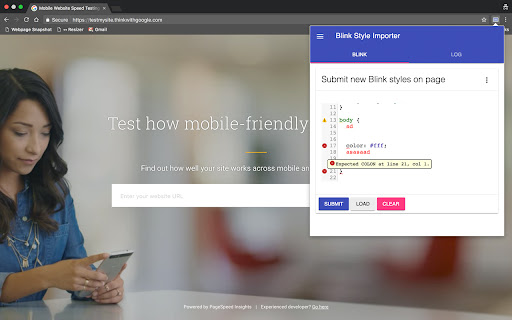
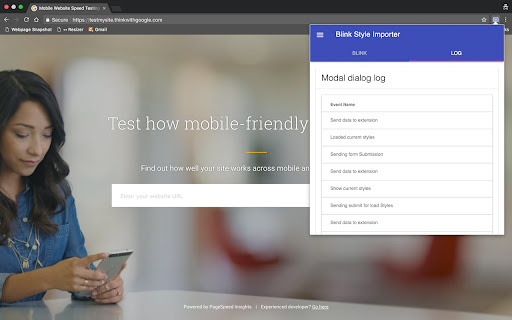
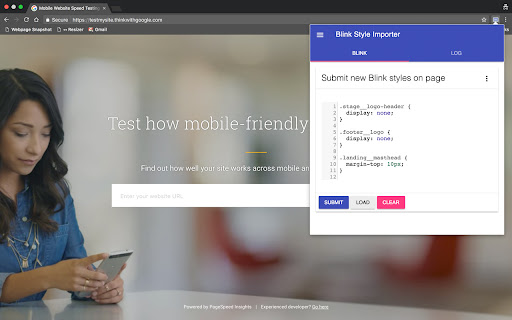
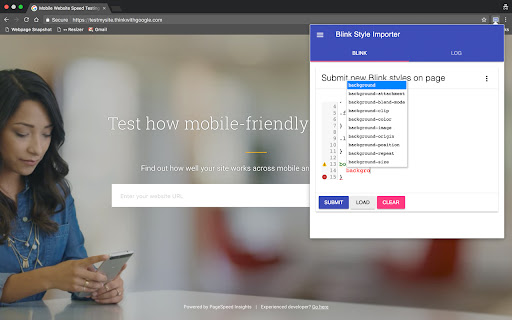
Adding custom css styles on any page, with cloud synchronization for save short styles across devices
Features:
- Autocomplete
- CSS Code Linting
- Check on Brackets
- Saving short styles in cloud when logged in Chrome browser
Changelog:
0.2.3
* Under the hood: Changed few permissions and background page for operate with Google Firebase
* Added: Profile page, with Google login
* Added: Google Firebase, for store accounts/options, now only store profiles
0.2.2
* Added: Alert message if storage for page are full, or text too long
* Change: Now icon change right after save or clear blink style
0.2.1
* Fix: Correct strings save in storage
0.2.0
* Under the hood: Started options page. Added settings versions feature for future updates
* Added: Auto-save feature, by default
* Added: Loading Progress bar for Auto-save
* Change: Editor font size now 14px, by default
* Change: Removed Submit button
0.1.7
* Change: Removed Load button
* Change: Now Notifications messages appear less often
* Added: Script will try load page first time if it real url page only
* Added: Now when load page with Blink styles, extension icon will be changed
0.1.6
* Publish to store and added git home page
0.1.5
* Added: context menu dropdown in modal
* Added: action to clear all data from storage
* Added: action to clear only current data from storage
* Added: action to log all storage data to console
* Updated screens
0.1.1
* Start rewrite app
* Now added Chrome synchronization
* Start saving data in storage
0.1.0
* Refactored code
* When popup opened it try load exist Blink styles from page
0.0.1
* First version, it no save data after page reload
| 分类 | 💻开发者工具 |
| 插件标识 | lbgchcpklbidcojffpncpclnkopchcff |
| 平台 | Chrome |
| 评分 |
☆☆☆☆☆
|
| 评分人数 | |
| 插件主页 | https://chromewebstore.google.com/detail/blink-style-importer/lbgchcpklbidcojffpncpclnkopchcff |
| 版本号 | 2.3.13 |
| 大小 | 1.16MiB |
| 官网下载次数 | 60 |
| 下载地址 | |
| 更新时间 | 2019-03-09 00:00:00 |
CRX扩展文件安装方法
第1步: 打开Chrome浏览器的扩展程序
第2步:
在地址栏输入: chrome://extensions/
第3步: 开启右上角的【开发者模式】
第4步: 重启Chrome浏览器 (重要操作)
第5步: 重新打开扩展程序管理界面
第6步: 将下载的crx文件直接拖入页面完成安装
注意:请确保使用最新版本的Chrome浏览器