
VK+ Switcher Chrome 插件, crx 扩展下载
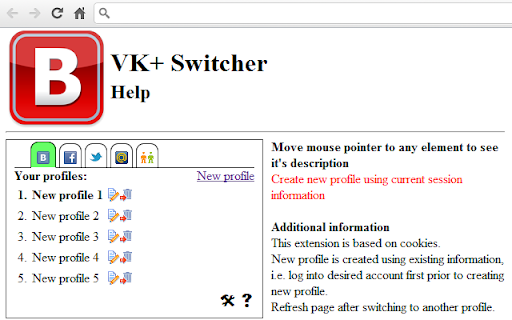
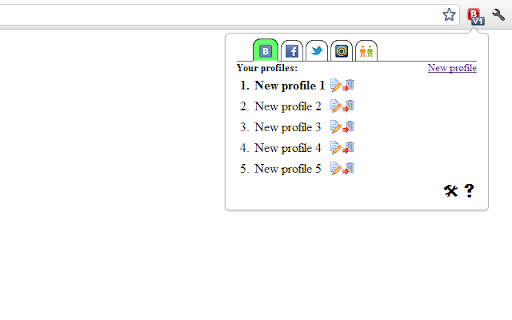
Lets you easily switch between multiple Vkontakte and other social networks accounts.
If you have for some purposes many accounts in Vkontakte or other social network and got bored using multiple browsers or loggin in/out between accounts, this extension is for you! Locate all your accouts in one browser and switch between them in an easiest way.
Now works in Opera!
FEATURES
Work in different accounts simultaneously (in different browser tabs).
Quick Vkontakte, Facebook, Twitter, Mail.ru, Odnoklassniki and Google profiles switching
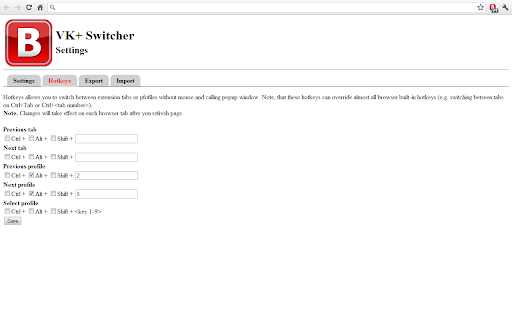
Customizable hotkeys, working in almost all browser pages
Profiles ordering
Import/export profiles
Changelog
2.1.6
- Fix request handling for Chrome 72+
2.1.5
- Fix hotkey handler
2.1.4
- Fix profile switching bug
2.1.3
- bugfixes
2.1.2
- version for Opera released
- fixed some bugs in simultaneous usage of accounts
2.1.0
- Google accounts support added
2.0.1
- new feature
- minor bugfixes
1.4.4
- previous version bugfixes
1.3.0
- changes according new browser security policy
1.2.7
- fixed Facebook support
- fixed bugs with profiles creation and reordering
- other minor fixes
1.2.4
- small fixes in hotkeys
1.2.3
NEW:
- profiles ordering
- import/export
- tooltips for hotkeys
- description for hotkeys in options window
- open options after first install
- link to options in popup window
- interactive help
- active tab detection
FIXES:
- hotkeys
- fix problems with long profile names display
- one more bug with deleting profile
- bug with switching by hotkeys
1.1.1
- hotfix for bug with hotkeys
1.1.0
- added basic support of hotkeys
1.0.6
- fixed bug with deleting non-last profile
1.0.5
- some bugs fixed
1.0.4
- first release
Vk group
http://vk.com/club36690152
Bug tracker
http://code.google.com/p/vk-switcher/issues/list
| 分类 | 👥社交 |
| 插件标识 | lfojgmgodcgmjoiokklgmailddgolmda |
| 平台 | Chrome |
| 评分 |
☆☆☆☆☆
|
| 评分人数 | |
| 插件主页 | https://chromewebstore.google.com/detail/vk+-switcher/lfojgmgodcgmjoiokklgmailddgolmda |
| 版本号 | 3.128.4 |
| 大小 | 115KiB |
| 官网下载次数 | 2000 |
| 下载地址 | |
| 更新时间 | 2020-04-04 00:00:00 |
CRX扩展文件安装方法
第1步: 打开Chrome浏览器的扩展程序
第2步:
在地址栏输入: chrome://extensions/
第3步: 开启右上角的【开发者模式】
第4步: 重启Chrome浏览器 (重要操作)
第5步: 重新打开扩展程序管理界面
第6步: 将下载的crx文件直接拖入页面完成安装
注意:请确保使用最新版本的Chrome浏览器