
Simple Site Blocker Chrome 插件, crx 扩展下载
A simple extension to quickly block or unblock any website to focus on what matters & save child from pornography!.
Simple site blocker is a simple yet effective tool to block unwanted websites to remain focussed on what really matters. These days social media and pornograhic websites consume bulk of users time. On top of that, children are also prone to visit such sites.
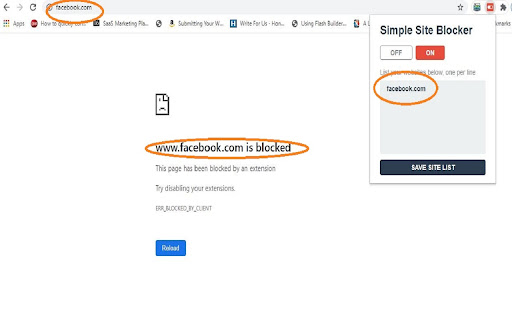
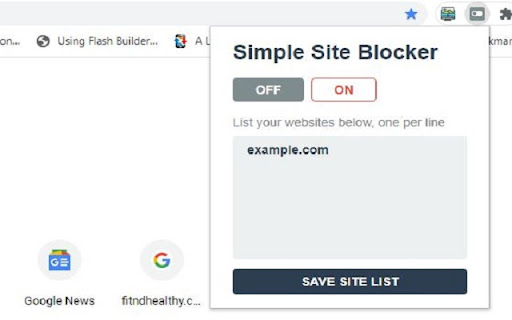
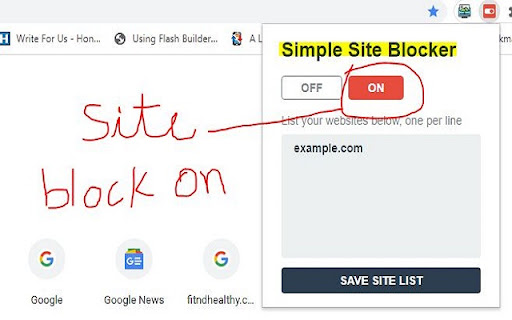
Using simple site blocker you can simply block any website with one click. Just enter website URL into the extension window and click on 'save site list'. Finally, click on red 'ON' button at top right corner. All the sites listed will be blocked straightaway. If you want to unblock just delete the website url from the list. You may also unblock all the sites in the list by clicking on grey colored 'OFF' button on the top left corner.
This extension's sole purpose is to keep you safe on the web. So this extension's core functionality also includes a default search which helps you find credentials of website before you visit it. Moreover you can also compile a list of bad websites using the default search.
By clicking "Add to chrome", I accept and agree to installing this extension and also accept the Terms of Service and Privacy Policy. This extension takes over your default search settings and changes it to: https://www.bing.com.
| 分类 | 📝工作流程与规划 |
| 插件标识 | lfplagdhdpecicoocnoemhomgcgagccn |
| 平台 | Chrome |
| 评分 |
☆☆☆☆☆
|
| 评分人数 | |
| 插件主页 | https://chromewebstore.google.com/detail/simple-site-blocker/lfplagdhdpecicoocnoemhomgcgagccn |
| 版本号 | 10.4.26 |
| 大小 | 46.34KiB |
| 官网下载次数 | 36 |
| 下载地址 | |
| 更新时间 | 2021-10-09 00:00:00 |
CRX扩展文件安装方法
第1步: 打开Chrome浏览器的扩展程序
第2步:
在地址栏输入: chrome://extensions/
第3步: 开启右上角的【开发者模式】
第4步: 重启Chrome浏览器 (重要操作)
第5步: 重新打开扩展程序管理界面
第6步: 将下载的crx文件直接拖入页面完成安装
注意:请确保使用最新版本的Chrome浏览器