
Elucidate - Present via Webcam Chrome 插件, crx 扩展下载
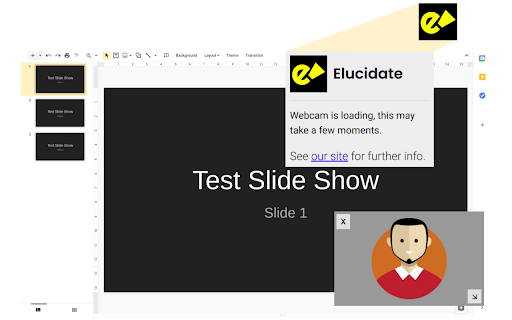
Chrome Extension for overlaying your webcam on any webpage - ideal for screensharing, presentations and video calls!
An indispensable Chrome browser extension which allows you to overlay your webcam on pretty much any web-page!
Ideal if you are using a video calling system like Google Meet - this extension allows you to show your webcam view when presenting your screen, including when using Google slides.
Simply click the extension icon to add a camera to the screen. Move this webcam view around and resize it to get the perfect position to help communicate with your viewers, students or colleagues better.
This extension runs completely locally, does not require any special permissions and will never, ever, ever capture or store your data.
| 分类 | 📝工作流程与规划 |
| 插件标识 | lgdgohehlhieiobnehhoamknccoenjhn |
| 平台 | Chrome |
| 评分 |
☆☆☆☆☆
|
| 评分人数 | |
| 插件主页 | https://chromewebstore.google.com/detail/elucidate-present-via-web/lgdgohehlhieiobnehhoamknccoenjhn |
| 版本号 | 9.0.2 |
| 大小 | 176KiB |
| 官网下载次数 | 143 |
| 下载地址 | |
| 更新时间 | 2021-01-14 00:00:00 |
CRX扩展文件安装方法
第1步: 打开Chrome浏览器的扩展程序
第2步:
在地址栏输入: chrome://extensions/
第3步: 开启右上角的【开发者模式】
第4步: 重启Chrome浏览器 (重要操作)
第5步: 重新打开扩展程序管理界面
第6步: 将下载的crx文件直接拖入页面完成安装
注意:请确保使用最新版本的Chrome浏览器