
Advanced WebSocket Client Chrome 插件, crx 扩展下载
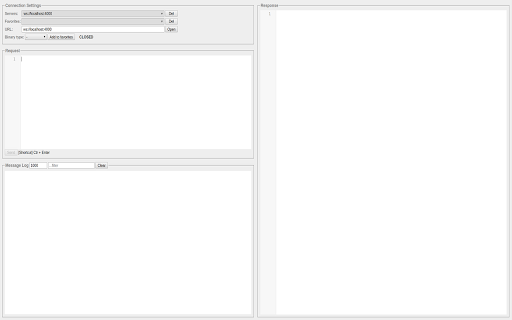

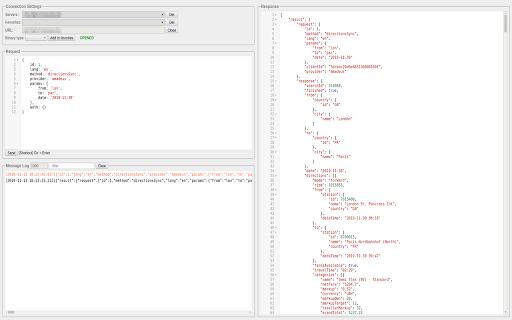
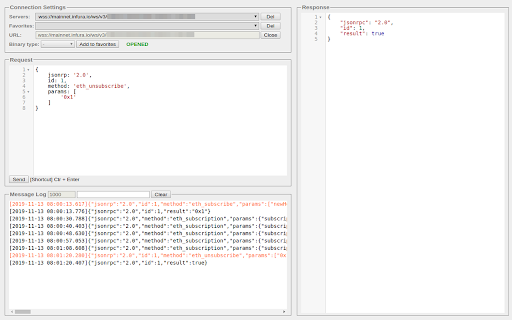
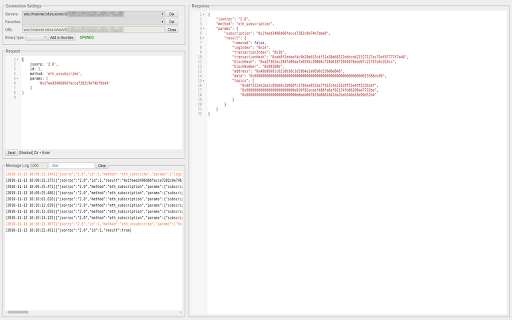
Construct custom Web Socket requests and handle responses to directly test your Web Socket services.
Advanced WebSocket Client is a Google Chrome extension designed to help construct custom WebSocket requests and handle responses for directly testing your WebSocket services.
It supports the JSON request/response format, and its main feature is that you don't have to strictly follow RFC formatting rules.
You can use single quotes, double quotes, or no quotes for string keys and values, as well as trailing commas in object literals.
Additionally, it supports both single-line and block comments, just like in JavaScript.
Shortcats:
F1 - fullscreen on/off
F2 - line wrapping on/off
Ctrl+Q - fold/unfold a code block
Alt+Ctrl+J or Cmd+Ctrl+J - format JSON
Cmd+/ or Ctrl+/ - comment/uncomment line/block
| 分类 | 💻开发者工具 |
| 插件标识 | lgimpnfdefcpkicbflpmainbcdnlblej |
| 平台 | Chrome |
| 评分 |
★★★★☆
4.6
|
| 评分人数 | 7 |
| 插件主页 | https://chromewebstore.google.com/detail/advanced-websocket-client/lgimpnfdefcpkicbflpmainbcdnlblej |
| 版本号 | 1.1.0 |
| 大小 | 238KiB |
| 官网下载次数 | 920 |
| 下载地址 | |
| 更新时间 | 2025-01-30 00:00:00 |
CRX扩展文件安装方法
第1步: 打开Chrome浏览器的扩展程序
第2步:
在地址栏输入: chrome://extensions/
第3步: 开启右上角的【开发者模式】
第4步: 重启Chrome浏览器 (重要操作)
第5步: 重新打开扩展程序管理界面
第6步: 将下载的crx文件直接拖入页面完成安装
注意:请确保使用最新版本的Chrome浏览器
同类插件推荐

PieSocket WebSocket Tester
Test Websocket connections with ease, supports bot

Socket.IO Test Client
Socket.IO Client Development ToolSocket.IO dev too

Advanced WebSocket Client
Construct custom Web Socket requests and handle re

Websocket Client
Websocket client in chrome. Supports WS / WSS. Aut

Browser WebSocket Client
Connect to a WebSocket server to send and receive

Hermes WebSocket Client
A modern client for testing WebSocket connections.

Simple WebSocket Client
Construct custom Web Socket requests and handle re

WebSocket Frame Inspector
Chrome extension to monitor WebSocket framesView b

WebSocket King Client
A WebSocket client for testing and debugging conne

LiveScriptConsole
A LiveScript console within the Chrome Dev Tools.

WebSocket Test Client
A Simple tool to help test WebSocket ServiceWebSoc

DOM to JSON Converter
The tool extracts element details (name, url, id,

Smart Websocket Client
A Debugging tool to help you test Websocket APIsSm