
Rabbit Hole Rescue Chrome 插件, crx 扩展下载
Visualize and save your history to make navigating your research easier!
Save your Web browsing sessions, and render them as easy-to-read visualizations.
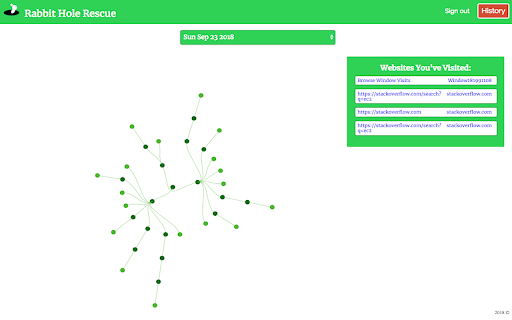
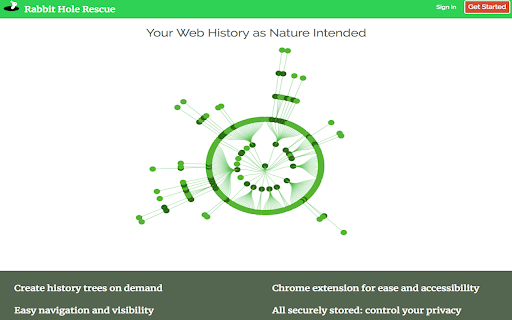
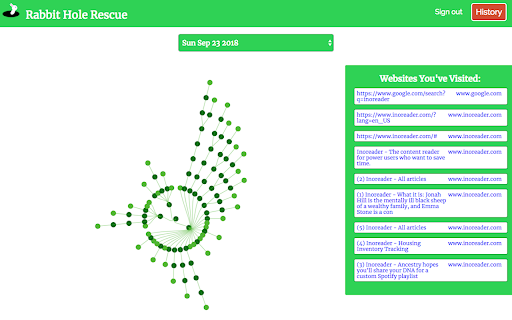
Rabbit Hole Rescue is an extension that lets you record your Web browsing sessions at the click of a button. When you're logged in to your account, you can save these sessions, and view them on a Web page in the form of a tree diagram. This way, you can see the paths your browsing took, and how you ended up at any given page.
HOW DOES IT WORK?
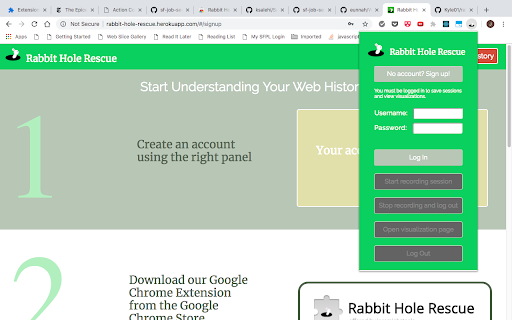
This extension installs a simple button and popup. First, click the signup button (or the login button, once you have created an account) to be taken to the signup page. Once you have done this, you can begin saving sessions.
Click the start button to begin recording, and all open Chrome pages will be saved. Each new page you open will be added to the session until you click the stop button.
Click the visualization button to be taken to your visualizations page, where you can view eye-catching diagrams of your saved browsing sessions.
WHO IS IT FOR?
Anyone who does research on the Web, or anyone who has ever clicked on a page, and then wondered how their browsing led them down that Rabbit Hole.
| 分类 | 📝工作流程与规划 |
| 插件标识 | lhcoogckbmpeijhnnniaohgcplmgfmie |
| 平台 | Chrome |
| 评分 |
☆☆☆☆☆
|
| 评分人数 | |
| 插件主页 | https://chromewebstore.google.com/detail/rabbit-hole-rescue/lhcoogckbmpeijhnnniaohgcplmgfmie |
| 版本号 | 25.2.3.0 |
| 大小 | 43.75KiB |
| 官网下载次数 | 14 |
| 下载地址 | |
| 更新时间 | 2019-02-23 00:00:00 |
CRX扩展文件安装方法
第1步: 打开Chrome浏览器的扩展程序
第2步:
在地址栏输入: chrome://extensions/
第3步: 开启右上角的【开发者模式】
第4步: 重启Chrome浏览器 (重要操作)
第5步: 重新打开扩展程序管理界面
第6步: 将下载的crx文件直接拖入页面完成安装
注意:请确保使用最新版本的Chrome浏览器