
Tab Nudger - Tab Manager Chrome 插件, crx 扩展下载


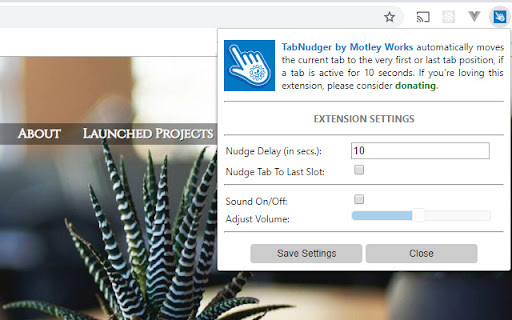
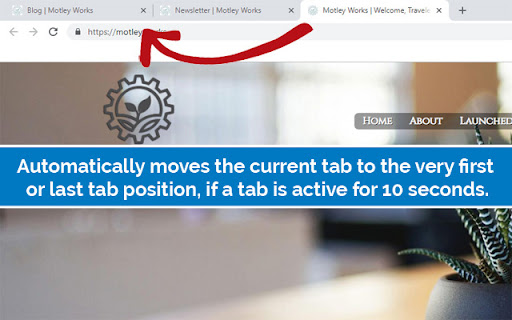
Tab Nudger by Motley Works automatically moves a tab to the 1st or last position if that tab is actively worked on for 10 seconds.
Tab Management has a new hero.
If you've ever found yourself hunting for a tab in the forest of tabs you irrationally insist on having open, then TabNudger should prove helpful to you.
We noticed an annoying problem in our own workflow, which was that we'd often find ourselves with so many tabs open in Chrome that we'd often end up "hunting" for some tab we just worked on or now needed. This was wasteful and distracting effort that made it harder for us to be effective when working on Chrome. We looked to natural human behavior in the analog world for a solution. Our proposed solution is, just like when one works on a desk where the papers one works on recently is naturally on top of the stack of work papers, tabs a user works on should consistently move to the top. With TabNudger installed, any tab that a user works on for a not insignificant amount of time is nudged to the first or last position among the user's likely many tabs. It's a simple and surprisingly effective fix for a frustrating problem afflicting millions of Chrome users. Now, there's much less of a need to close, organize, snooze, or suspend excess tabs!
We hope you'll find the extension as helpful as we do, and if you find yourself loving our solution, please consider DONATING by visiting us at https://motley.works/tabnudger :)
| 分类 | 📝工作流程与规划 |
| 插件标识 | lhgfclikohoigahnhjlmidgnpgjmgkma |
| 平台 | Chrome |
| 评分 |
☆☆☆☆☆
|
| 评分人数 | |
| 插件主页 | https://chromewebstore.google.com/detail/tab-nudger-tab-manager/lhgfclikohoigahnhjlmidgnpgjmgkma |
| 版本号 | 25.2.3.0 |
| 大小 | 468KiB |
| 官网下载次数 | 43 |
| 下载地址 | |
| 更新时间 | 2019-02-27 00:00:00 |
CRX扩展文件安装方法
第1步: 打开Chrome浏览器的扩展程序
第2步:
在地址栏输入: chrome://extensions/
第3步: 开启右上角的【开发者模式】
第4步: 重启Chrome浏览器 (重要操作)
第5步: 重新打开扩展程序管理界面
第6步: 将下载的crx文件直接拖入页面完成安装
注意:请确保使用最新版本的Chrome浏览器