
Closetab.email Chrome 插件, crx 扩展下载
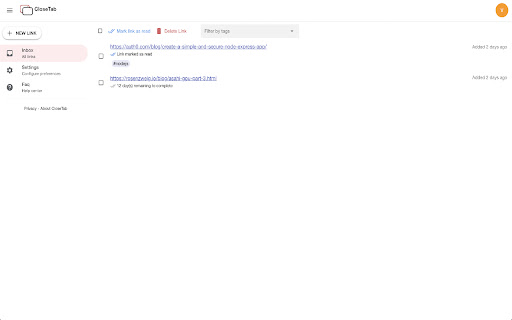
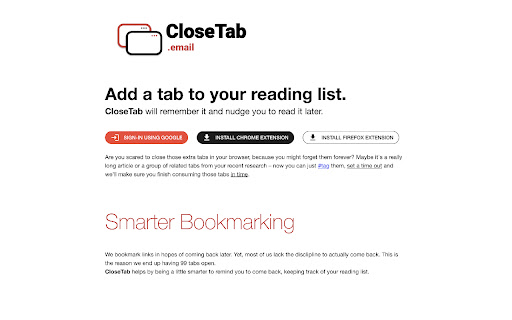
Close your tabs with confidence. This extension will periodically remind you about your pending reading-list.
This extension helps you close those extra tabs that you hesitate to close until you've read that page completely. Simply click on the extension and set a timeout within which you'd like to read the page and close the tab. This extension will remember it for you and send weekly reminders to get back to that page.
You can also optionally assign tags and turn on/off reminders per tag. No separate account needed. Just login with your existing google account and start using. It's that simple.
| 分类 | 📝工作流程与规划 |
| 插件标识 | lkgcnpldaonnbdnkiimgdjkecopjnbeb |
| 平台 | Chrome |
| 评分 |
☆☆☆☆☆
|
| 评分人数 | |
| 插件主页 | https://chromewebstore.google.com/detail/closetabemail/lkgcnpldaonnbdnkiimgdjkecopjnbeb |
| 版本号 | 25.2.3.0 |
| 大小 | 192KiB |
| 官网下载次数 | 111 |
| 下载地址 | |
| 更新时间 | 2021-05-28 00:00:00 |
CRX扩展文件安装方法
第1步: 打开Chrome浏览器的扩展程序
第2步:
在地址栏输入: chrome://extensions/
第3步: 开启右上角的【开发者模式】
第4步: 重启Chrome浏览器 (重要操作)
第5步: 重新打开扩展程序管理界面
第6步: 将下载的crx文件直接拖入页面完成安装
注意:请确保使用最新版本的Chrome浏览器