
Obox Tools - Friend Remover 2020 Chrome 插件, crx 扩展下载
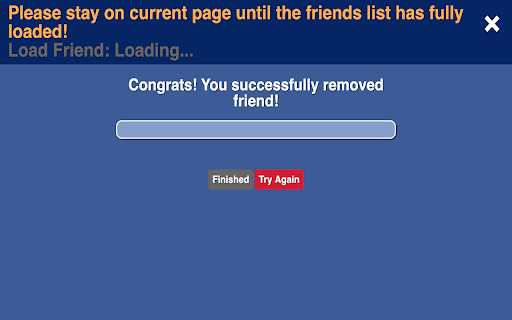
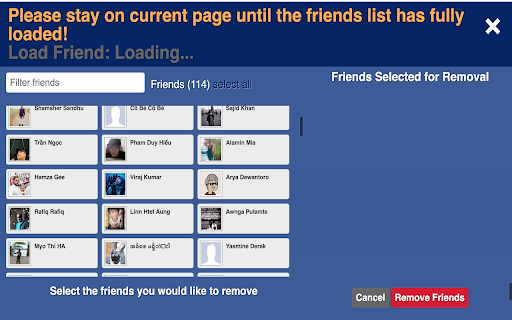
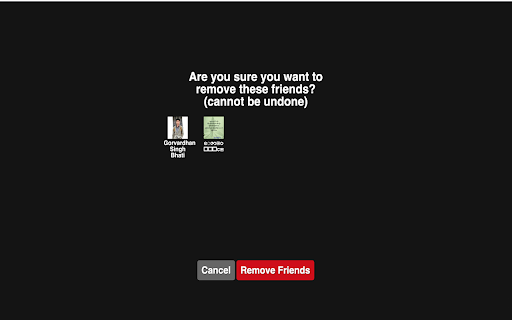
Friend remover - Easily delete friends with a few clicks or unfriend them all at once.
Find & delete friends-list easily for Facebook™ - Obox Tools - Friend Remover helps you remove several friends or unfriend all at once.
★ Note
* Facebook™ is a registered trade mark of Facebook™ Inc. The use of the Facebook™ trade name or trademark is for identification, reference or descriptive. This extension has no connection to Facebook™ Inc or their product brand. This extension uses absolutely NO any Facebook APIs, and it's therefore not binding with any Facebook APIs licenses. All the occurrences of the word "Facebook™" is for descriptive purpose only, and hence it's legally allowed.
★ How it works
- Click the extension icon
- Stay on current page until the friends list has fully loaded!
- Select list friend that you want to delete
- Click the button "Remove Friend"
★ Contact Us
If you have any question, please contact me via email: [email protected]
| 分类 | 👥社交 |
| 插件标识 | lklafmehbmplcclnpcnpafbkocebmbam |
| 平台 | Chrome |
| 评分 |
☆☆☆☆☆
|
| 评分人数 | |
| 插件主页 | https://chromewebstore.google.com/detail/obox-tools-friend-remover/lklafmehbmplcclnpcnpafbkocebmbam |
| 版本号 | 3.128.4 |
| 大小 | 203KiB |
| 官网下载次数 | 2000 |
| 下载地址 | |
| 更新时间 | 2021-02-12 00:00:00 |
CRX扩展文件安装方法
第1步: 打开Chrome浏览器的扩展程序
第2步:
在地址栏输入: chrome://extensions/
第3步: 开启右上角的【开发者模式】
第4步: 重启Chrome浏览器 (重要操作)
第5步: 重新打开扩展程序管理界面
第6步: 将下载的crx文件直接拖入页面完成安装
注意:请确保使用最新版本的Chrome浏览器