
Easy Wikipedia Chrome 插件, crx 扩展下载
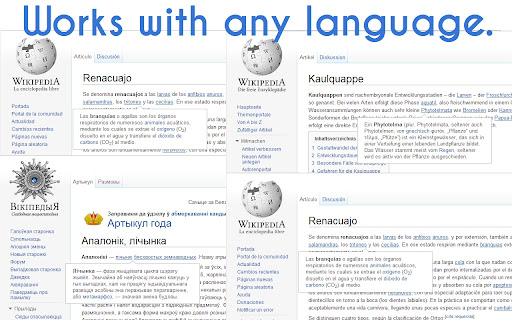
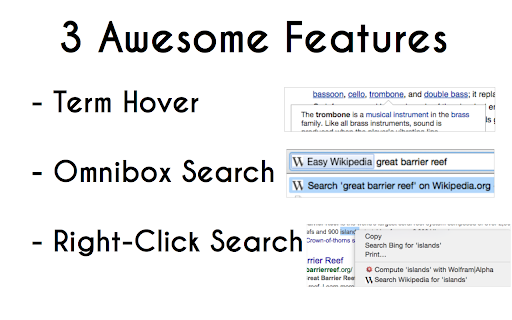
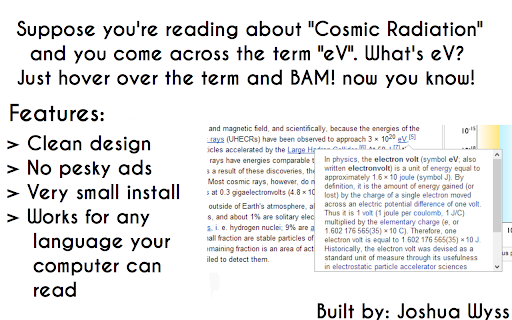
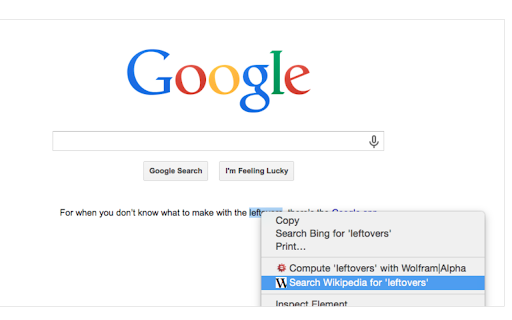
Popup info box on Wikipedia.org articles, Omnibox search with keword 'w', and right-click search a highlighted term.
Easy Wikipedia makes it easy to search and access information from Wikipedia.org
-Term Hover Tool
When you go to a Wikipedia article all possible terms will be denoted with a simple underline. Check what the term means by hovering over an underlined term. A description will pop up in a couple of seconds.
-Right-Click Search
On any website, highlight a term, right-click it and choose "Search Wikipedia for ..."
-Omnibox Search
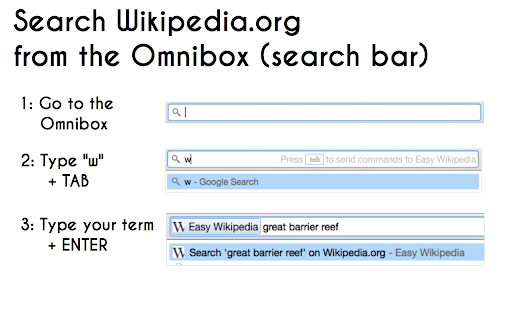
Use the keyword "w". It's simple, type 'w' then a space (or tab) followed by your term to search.
Why Easy Wikipedia?
Well, I don't have ads. I didn't like them and I'm not doing this for money, but instead for fun and learning. (I'm a Computer Science major after all)
I personally use it to quickly understand technical words in articles I'm researching for school.
This would be a great default addition for schools/businesses who use Wikipedia regularly!
>> Update 0.8.4.1
- Update link selection criteria.
>> Update 0.8.4
- Added How-To, and contact links.
>> Update 0.8.3
- Stops the entire page from scrolling when you scroll within the popup.
>> Update 0.9
- Added right-click search, and Omnibox keyword "w" search
| 分类 | 🛠️工具 |
| 插件标识 | lkppjpfgjmpbmlfhakbknmiebfklmeng |
| 平台 | Chrome |
| 评分 |
☆☆☆☆☆
|
| 评分人数 | |
| 插件主页 | https://chromewebstore.google.com/detail/easy-wikipedia/lkppjpfgjmpbmlfhakbknmiebfklmeng |
| 版本号 | 0.9 |
| 大小 | 41.01KiB |
| 官网下载次数 | 327 |
| 下载地址 | |
| 更新时间 | 2014-12-29 00:00:00 |
CRX扩展文件安装方法
第1步: 打开Chrome浏览器的扩展程序
第2步:
在地址栏输入: chrome://extensions/
第3步: 开启右上角的【开发者模式】
第4步: 重启Chrome浏览器 (重要操作)
第5步: 重新打开扩展程序管理界面
第6步: 将下载的crx文件直接拖入页面完成安装
注意:请确保使用最新版本的Chrome浏览器