
SavedPages Chrome 插件, crx 扩展下载
How your browsers history and bookmarks should work. A complete solution for managing and sharing page collections
SavedPages is a Google Chrome extension designed to empower and enrich your browsing history experience. Designed to make the web that little be easier to navigate by making your browser history truly work for you.
SavedPages is a handy tool for those researching for a project, whether that is a school project, holiday planning, window shopping, work project or any type of investigation, SavedPages makes it easy to record your journey (both automatically or manually), snipping relevant content along the way for later referral. You can even share your journey with those that do not have SavedPages installed.
SavedPages fills in that gap left between the bookmarks and your browser history.
The following features are available:
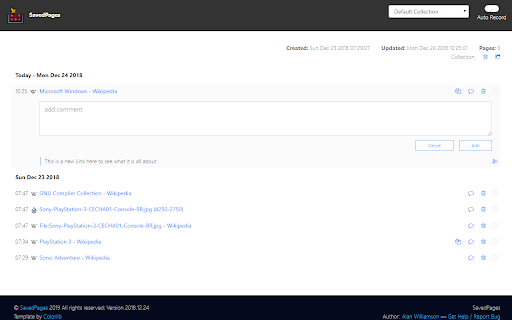
* Automatic recording of visit history to a collection
* Manage multiple collections
* Manual adding of a page to a collection
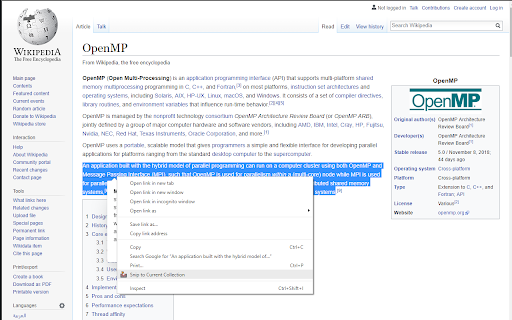
* Snip a block of text on a page to a collection
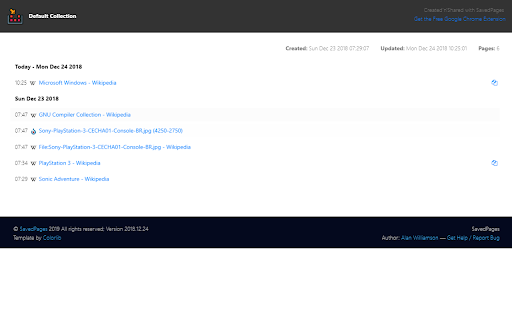
* Share a collection with others who do not have the browser extension installed
* Manually add a note to a page in a collection
:: Inspiration __________________________________
Like all good projects, SavedPages came from a need to easily document a given browser session as a single unit. Manually bookmarking each page, is laborous and very error prone (you forget to bookmark that one crucial page that you can't find later on!). Looking through your browser history is not logical, as it is full of a lot of noise from unrelated pages.
What was required, was to not only auto-store (or tag through the right-hand menu) pages, but to be able to snip small pieces of content from the page and record that with the collection.
So after much searching around, no solution presented itself, so instead of waiting, SavedPages was born.
:: Release History ______________________________
* 2018.12.24
** Initial release; with all basic features
| 分类 | 👥社交 |
| 插件标识 | llfonjclijhdppnhmpimacfopgkpphbf |
| 平台 | Chrome |
| 评分 |
☆☆☆☆☆
|
| 评分人数 | |
| 插件主页 | https://chromewebstore.google.com/detail/savedpages/llfonjclijhdppnhmpimacfopgkpphbf |
| 版本号 | 7.0.1 |
| 大小 | 1008KiB |
| 官网下载次数 | 13 |
| 下载地址 | |
| 更新时间 | 2018-12-25 00:00:00 |
CRX扩展文件安装方法
第1步: 打开Chrome浏览器的扩展程序
第2步:
在地址栏输入: chrome://extensions/
第3步: 开启右上角的【开发者模式】
第4步: 重启Chrome浏览器 (重要操作)
第5步: 重新打开扩展程序管理界面
第6步: 将下载的crx文件直接拖入页面完成安装
注意:请确保使用最新版本的Chrome浏览器