
Novo Notes Chrome 插件, crx 扩展下载


Your digital organizer.
Your digital organiser.
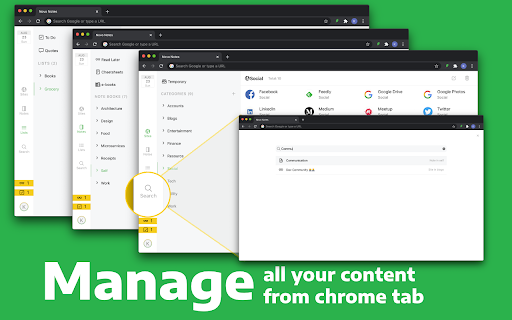
Novo Notes’s Chrome extension converts your chrome tab into your personal digital organiser. Whenever you open your chrome tab your bookmarks, notes, lists are all available to you without you having to switch applications. All contents you have collected appear under one application with a global search to search any of your saved content. With one click you can save article, bookmarks, videos to read later or store them categorised under different notebooks.
MANAGE BOOKMARKS
- Organise your bookmarks into categories
- Add new bookmarks by a single click as you find a site of your interest
- Search for bookmarks and open them right from new tab
ORGANISE YOUR NOTES
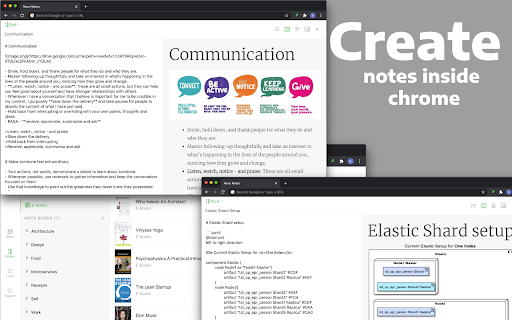
- Organise your notes into notebooks
- Add articles of interest to read later list as you find them while browsing
- Create notes with links, images, diagrams
- Add PDFs as ebooks, organise them in your notebooks with your notes
- Create cheat sheets for quick access
- When you need a note search for them just by opening a new tab
LISTS
- Keep track of your Todo’s
- Create lists about anything; books you want to read, your groceries, activities you want to do
- Add todo’s just by typing ‘/todo your task’ inside your chrome tab
SYNCHRONISE
- Synchronise your digital organiser across all your computer and laptops.
| 分类 | 📝工作流程与规划 |
| 插件标识 | lmapicpbalpmfcenkemhepakgkaedjko |
| 平台 | Chrome |
| 评分 |
☆☆☆☆☆
|
| 评分人数 | |
| 插件主页 | https://chromewebstore.google.com/detail/novo-notes/lmapicpbalpmfcenkemhepakgkaedjko |
| 版本号 | 25.2.3.0 |
| 大小 | 2.15MiB |
| 官网下载次数 | 46 |
| 下载地址 | |
| 更新时间 | 2021-07-25 00:00:00 |
CRX扩展文件安装方法
第1步: 打开Chrome浏览器的扩展程序
第2步:
在地址栏输入: chrome://extensions/
第3步: 开启右上角的【开发者模式】
第4步: 重启Chrome浏览器 (重要操作)
第5步: 重新打开扩展程序管理界面
第6步: 将下载的crx文件直接拖入页面完成安装
注意:请确保使用最新版本的Chrome浏览器