
Random Wikipedia Tab Chrome 插件, crx 扩展下载
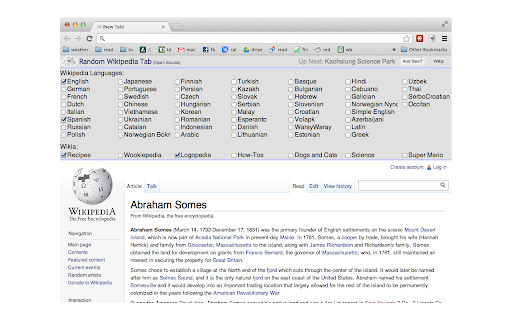
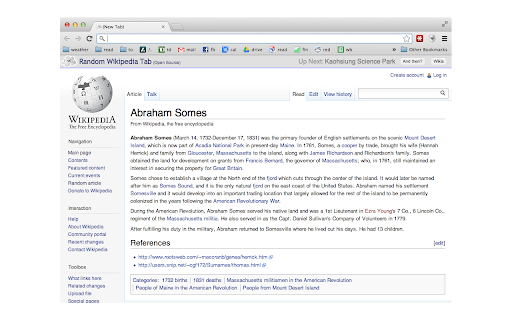
Each new tab opens to a random Wikipedia article
The extension opens a random Wikipedia article in the background on each new tab. The latest version also lets you choose other languages as well as Wikia sites. Let us know if you want other languages or other wikias added!
Learn something new, discover an interesting fact, or find out just how many articles Wikipedia actually has about Euro Football.
Perhaps you are wondering "can't I just change my homepage?". This is better: It caches a few pages in the background, so you don't have to wait for it to load and can get on with your new-tab-ish business.
This plugin is open source. See the source code (and contribute to it!) here:
https://github.com/jamesagnew/random_wikipedia_tab/
| 分类 | 📝工作流程与规划 |
| 插件标识 | lngmpepkiehelbokpbaaddablknfoncc |
| 平台 | Chrome |
| 评分 |
☆☆☆☆☆
|
| 评分人数 | |
| 插件主页 | https://chromewebstore.google.com/detail/random-wikipedia-tab/lngmpepkiehelbokpbaaddablknfoncc |
| 版本号 | 3.4 |
| 大小 | 148KiB |
| 官网下载次数 | 135 |
| 下载地址 | |
| 更新时间 | 2013-02-06 00:00:00 |
CRX扩展文件安装方法
第1步: 打开Chrome浏览器的扩展程序
第2步:
在地址栏输入: chrome://extensions/
第3步: 开启右上角的【开发者模式】
第4步: 重启Chrome浏览器 (重要操作)
第5步: 重新打开扩展程序管理界面
第6步: 将下载的crx文件直接拖入页面完成安装
注意:请确保使用最新版本的Chrome浏览器