
Yellow highlighter pen for web Chrome 插件, crx 扩展下载
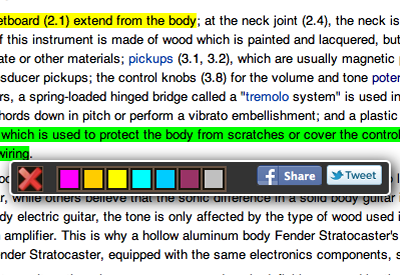
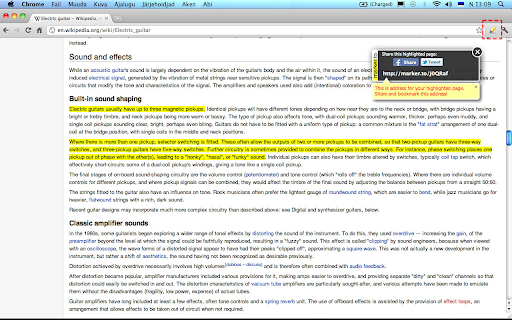
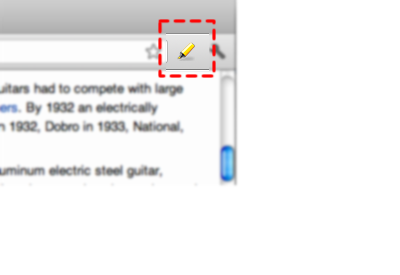
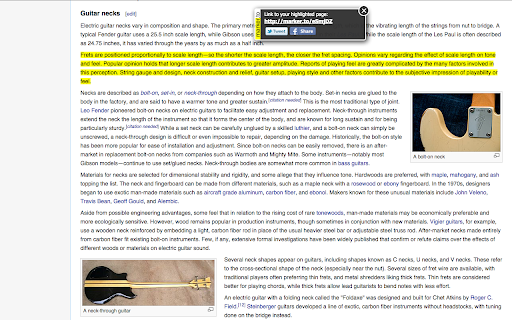
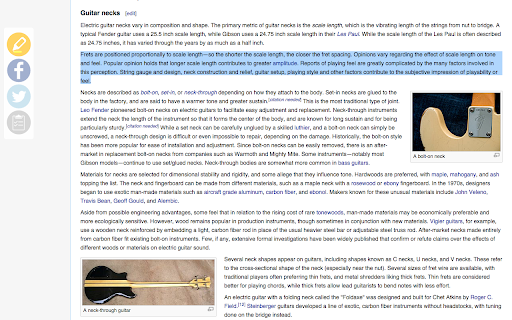
You can point out important information in long webpages by highlighting text with your mouse.
And you can share this highlighted…
You can point out important information in long webpages by highlighting text with your mouse.
And you can share this highlighted version of page (with special short link) in social media, e--mail, IM etc. or just bookmark it with your favourite tool.
It works with the regular web page, but DOES NOT work with PDF or MS Word documents due to technical restrictions.
NEWS
VER 1.8 update
- Removed some excessive permissions
VER 1.7 update
- New Instant Highlighter for better Twitter and Facebook sharing
VER 1.6
- Premium version available, read more from http://marker.to/premium
- Highlighter works on HTTPS pages
VER 1.5:
- Now you can see you highlights from http://my.marker.to
- You can get plugin for other browsers from http://marker.to site
NOTE: Please try this tool outside of this page! Chrome extensions will not work on installation page!
Have trouble running this tool? Please share your experience: http://marker.to/contact
Or reach us at Twitter: @markerto
| 分类 | 📝工作流程与规划 |
| 插件标识 | lnmengjdnfjbochkdkcjbbpildacancp |
| 平台 | Chrome |
| 评分 |
☆☆☆☆☆
|
| 评分人数 | |
| 插件主页 | https://chromewebstore.google.com/detail/yellow-highlighter-pen-fo/lnmengjdnfjbochkdkcjbbpildacancp |
| 版本号 | 1.8.4 |
| 大小 | 46.39KiB |
| 官网下载次数 | 70000 |
| 下载地址 | |
| 更新时间 | 2021-09-03 00:00:00 |
CRX扩展文件安装方法
第1步: 打开Chrome浏览器的扩展程序
第2步:
在地址栏输入: chrome://extensions/
第3步: 开启右上角的【开发者模式】
第4步: 重启Chrome浏览器 (重要操作)
第5步: 重新打开扩展程序管理界面
第6步: 将下载的crx文件直接拖入页面完成安装
注意:请确保使用最新版本的Chrome浏览器