
Selectify Chrome 插件, crx 扩展下载

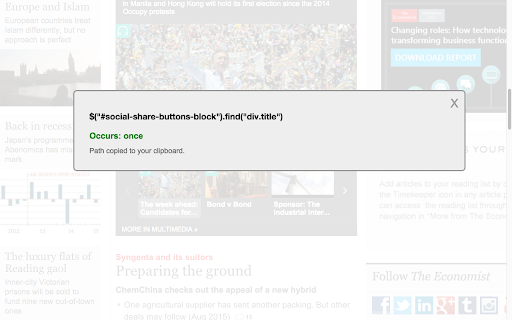


Alt+click any element to generate its optimum jquery selector path.
If you are writing jQuery, you frequently decide and write the optimum jquery selector for your need. However, the rules for optimizing a jQuery selector are relatively easy and can be automated. That's what this extension is for. Instead of having to step through the DOM, find the ID which could be anywhere, and try to remember again exactly what the rules are for optimizing the jQuery selector, this tool builds the selector and copies it to your clipboard. Done! Voila! Additionally, the tool tells you how many elements on the page that selector calls so you instantly know whether the selector is unique (calls only one element) or not (calls many elements).
The readme.md file delineates the logic used. Primary source behind the logic is: https://learn.jquery.com/performance/optimize-selectors/
| 分类 | 💻开发者工具 |
| 插件标识 | lpnjpfcjoodgemnipmlaobngfndgojki |
| 平台 | Chrome |
| 评分 |
☆☆☆☆☆
|
| 评分人数 | |
| 插件主页 | https://chromewebstore.google.com/detail/selectify/lpnjpfcjoodgemnipmlaobngfndgojki |
| 版本号 | 8.3 |
| 大小 | 50.32KiB |
| 官网下载次数 | 909 |
| 下载地址 | |
| 更新时间 | 2016-02-24 00:00:00 |
CRX扩展文件安装方法
第1步: 打开Chrome浏览器的扩展程序
第2步:
在地址栏输入: chrome://extensions/
第3步: 开启右上角的【开发者模式】
第4步: 重启Chrome浏览器 (重要操作)
第5步: 重新打开扩展程序管理界面
第6步: 将下载的crx文件直接拖入页面完成安装
注意:请确保使用最新版本的Chrome浏览器