
uuGle Chrome 插件, crx 扩展下载
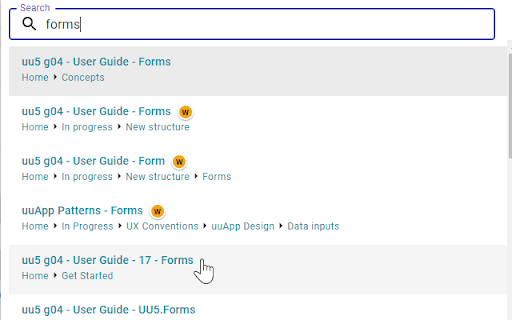
uuGle Chrome extension provides fast and user-friendly searching across Unicorn bookkit and dockit books in browser search bar.
uuGle automatically indexes every Unicorn bookkit book you open. Just open any single page of any bookkit book in your browser and all pages of that book will be indexed and available for search further on.
Click extension icon or use keyboard shortcut and type a keyword start search in indexed content. You don't need to type whole word, search words are automatically expanded. E.g. type "trans" and search results containing word "transaction" will be suggested. This can be used to quickly find uuCommand designs: e.g. type "trans list" to search for transaction/list CMD.
For more details and user guide see https://github.com/Pocuston/uugle.
Please note, that Unicorn bookkit books are available only to registered Plus4U users. For others this extension will not work and has no use. For more details see https://www.plus4u.net/.
| 分类 | 💻开发者工具 |
| 插件标识 | makckafajckddaiinilmeogejgdmacmi |
| 平台 | Chrome |
| 评分 |
☆☆☆☆☆
|
| 评分人数 | |
| 插件主页 | https://chromewebstore.google.com/detail/uugle/makckafajckddaiinilmeogejgdmacmi |
| 版本号 | 8.3 |
| 大小 | 119KiB |
| 官网下载次数 | 350 |
| 下载地址 | |
| 更新时间 | 2022-05-28 00:00:00 |
CRX扩展文件安装方法
第1步: 打开Chrome浏览器的扩展程序
第2步:
在地址栏输入: chrome://extensions/
第3步: 开启右上角的【开发者模式】
第4步: 重启Chrome浏览器 (重要操作)
第5步: 重新打开扩展程序管理界面
第6步: 将下载的crx文件直接拖入页面完成安装
注意:请确保使用最新版本的Chrome浏览器