
Google Classroom LinkHub Chrome 插件, crx 扩展下载
All links of Google Meet, Google Classroom one place _abx
Google Classroom LinkHub.
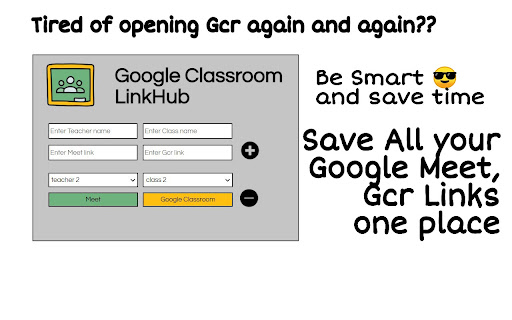
Tired of opening Google Classroom Again and again for links ?
Saves all your Google Meet and Google Classroom Links at One Place
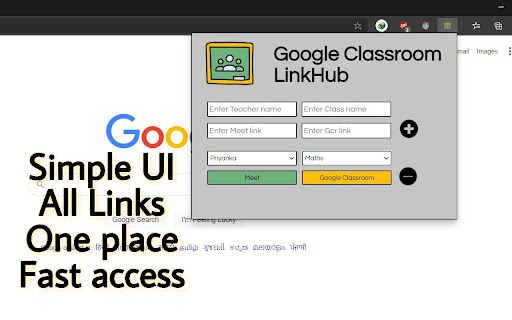
Simple UI, All links, One Place, Fast Access.
How To Use ??
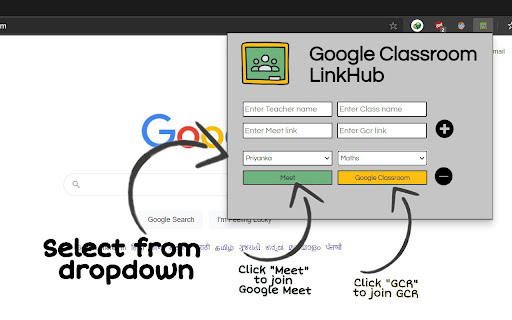
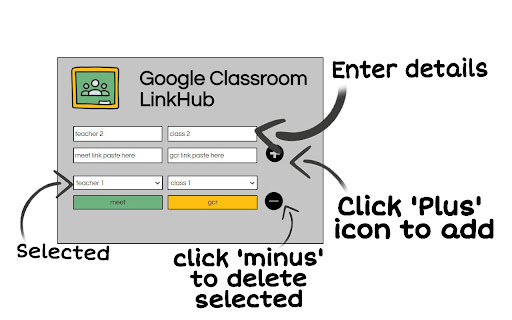
Step 1 : Enter Details (Teacher Name, Class Name, Meet link, GCR link)
Step 2 : Click 'Plus' icon to add Details.
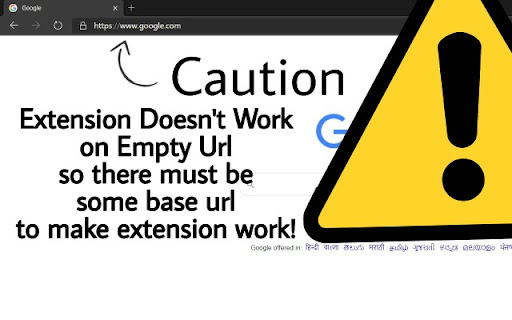
Step 3 : Open any Base link (Caution: Extensions doesn't work on empty Urls)
Step 4 : Select your Class/ Teacher.
Now click on 'MEET' button to join Google Meet or
click on 'Google Classroom' to join GCR.
- Want to Delete ?
Select Class/ Teacher you want to Delete, Click on 'Minus' icon to Delete selected.
Like my work,
Add your valuable Reviews.
Made with ❤ By: abx.
| 分类 | 📚教育 |
| 插件标识 | mbkeinklkdfiodfhojbpikpikmbidmgb |
| 平台 | Chrome |
| 评分 |
☆☆☆☆☆
|
| 评分人数 | |
| 插件主页 | https://chromewebstore.google.com/detail/google-classroom-linkhub/mbkeinklkdfiodfhojbpikpikmbidmgb |
| 版本号 | 2.0.16 |
| 大小 | 23.54KiB |
| 官网下载次数 | 1000 |
| 下载地址 | |
| 更新时间 | 2021-02-06 00:00:00 |
CRX扩展文件安装方法
第1步: 打开Chrome浏览器的扩展程序
第2步:
在地址栏输入: chrome://extensions/
第3步: 开启右上角的【开发者模式】
第4步: 重启Chrome浏览器 (重要操作)
第5步: 重新打开扩展程序管理界面
第6步: 将下载的crx文件直接拖入页面完成安装
注意:请确保使用最新版本的Chrome浏览器