
Beatport Key Changer Chrome 插件, crx 扩展下载
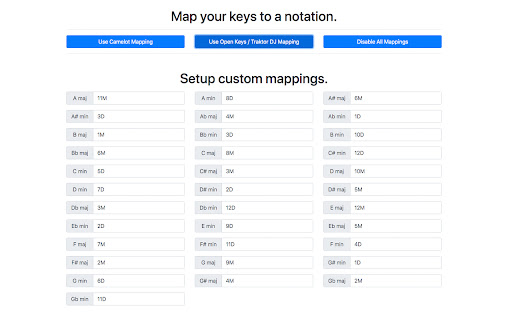
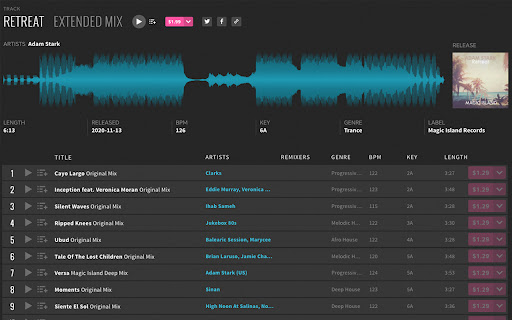
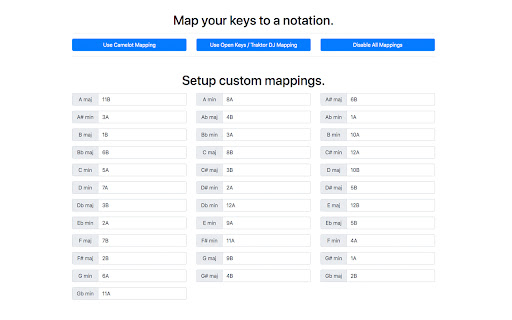
Adjust keys on Beatport.com to display however you'd like.
If you've ever been frustrated with the lack of functionality around Beatport and the various key notations like Camelot or Traktor's Open Keys, this extension adds crucial missing functionality to the beatport website. Allowing the user to set custom key mappings, or easily toggle between the Camelot and Traktor key notation systems. Once configured on the settings page, the extension will automatically adjust the key data on Beatport.com to the users prefered notation.
This extension also adds the ability to click on a track key in the Beatport UI, and immediately be taken to a page where you can see all tracks that match that key!
| 分类 | 📝工作流程与规划 |
| 插件标识 | mccpbdlgkkdffdigmnjnmeccpadjfgkp |
| 平台 | Chrome |
| 评分 |
☆☆☆☆☆
|
| 评分人数 | |
| 插件主页 | https://chromewebstore.google.com/detail/beatport-key-changer/mccpbdlgkkdffdigmnjnmeccpadjfgkp |
| 版本号 | 25.2.3.0 |
| 大小 | 179KiB |
| 官网下载次数 | 690 |
| 下载地址 | |
| 更新时间 | 2020-11-26 00:00:00 |
CRX扩展文件安装方法
第1步: 打开Chrome浏览器的扩展程序
第2步:
在地址栏输入: chrome://extensions/
第3步: 开启右上角的【开发者模式】
第4步: 重启Chrome浏览器 (重要操作)
第5步: 重新打开扩展程序管理界面
第6步: 将下载的crx文件直接拖入页面完成安装
注意:请确保使用最新版本的Chrome浏览器