
SpeakMagic - Speech to Text Chrome 插件, crx 扩展下载
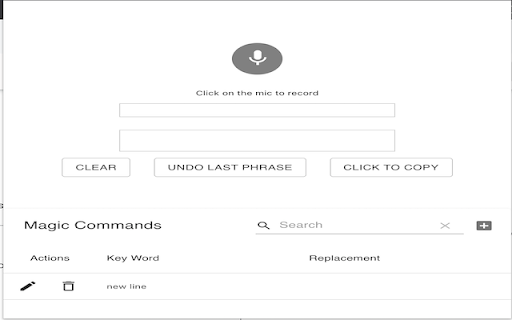
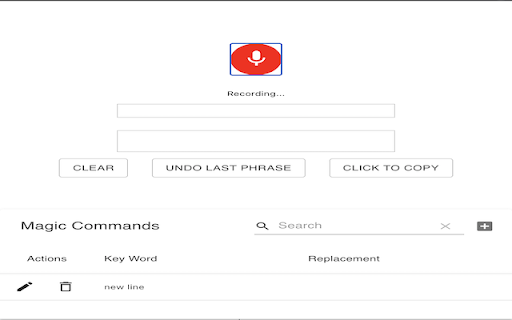
Transcribe, edit, and format speech easily in the browser using the power of machine learning!
The easiest way to talk to your computer! ?
SpeakMagic turns your speech into text instantly. Just tap on the extension, hit the record button, and start talking! ?
We've designed this with the craftsmanship of a 5th century artisan. Think of Siri on steroids. SpeakMagic is 10x better. ?
Here's why:
⭐ 1. Magical speech-to-text transcription ⭐
Our tool has been battle-tested for medical transcription and physiotherapy clinics. If we can handle words like soleus, gastrocnemius, and palpation - we're confident that we can handle anything you'll throw at it.
⭐ 2. Custom commands ⭐
The biggest barrier in traditional speech-to-text tools is manually formatting the output. No more. Add custom commands - SpeakMagic then "listens" for those commands and acts accordingly. New lines. Punctuation. Emojis. Anything is possible.
⭐ 3. Undo for speech ⭐
Don't you hate it when Siri mistakes "Call Mo's Pizza" for "Fall ghost eater"? Same. That's why we added the undo button for speech. Simple - but effective.
⭐ 4. Easy copy ⭐
SpeakMagic works where you need it! Use the tool, and easily copy the output to take with you. Formatting is preserved :)
We have a lot more planned ahead - but we're excited to hear your feedback! Give us a shout at [email protected] with your thoughts and suggestions.
(AI) God speed ?
| 分类 | 📝工作流程与规划 |
| 插件标识 | mdbcpndkogmknkhdbbdghnebegdeehfm |
| 平台 | Chrome |
| 评分 |
☆☆☆☆☆
|
| 评分人数 | |
| 插件主页 | https://chromewebstore.google.com/detail/speakmagic-speech-to-text/mdbcpndkogmknkhdbbdghnebegdeehfm |
| 版本号 | 6.2.12 |
| 大小 | 1.96MiB |
| 官网下载次数 | 210 |
| 下载地址 | |
| 更新时间 | 2021-04-04 00:00:00 |
CRX扩展文件安装方法
第1步: 打开Chrome浏览器的扩展程序
第2步:
在地址栏输入: chrome://extensions/
第3步: 开启右上角的【开发者模式】
第4步: 重启Chrome浏览器 (重要操作)
第5步: 重新打开扩展程序管理界面
第6步: 将下载的crx文件直接拖入页面完成安装
注意:请确保使用最新版本的Chrome浏览器