
ForgeCommander Integration Chrome 插件, crx 扩展下载
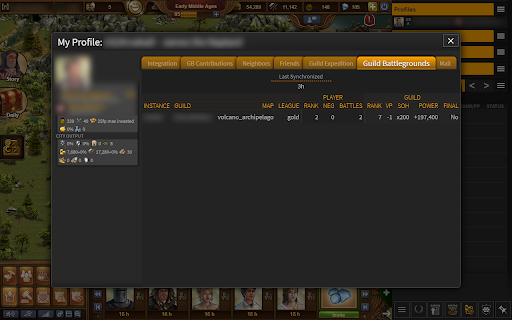
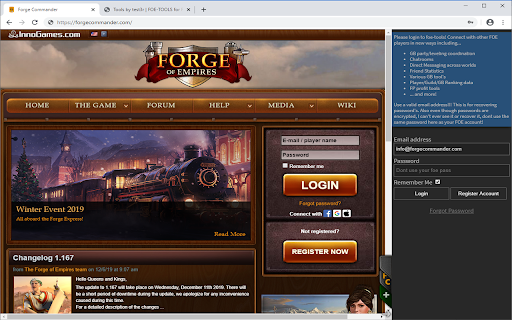
Connects your Forge of Empires session with your ForgeCommander session and optionally records your statistic data to ForgeCommander
When using ForgeCommander.com, this extension allows you to optionally collect FoE statistic data without making requests to or interfering with FoE. Unlocking the full potential of your FoE experience!
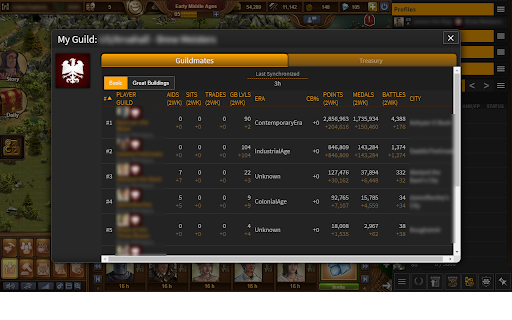
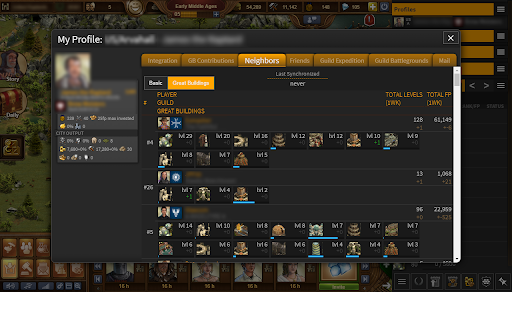
The statistic information can help you managing your guild, or relationships with friends and neighbors by providing you some key data points like:
- Aiding, Trading, and Tavern sitting counts for each player in your neighborhood,
guild or friends
- Identifying your mates or friends era's
- Determining what greatbuildings your neighbors, mates or friends are working on
recently and how many levels they have achieved
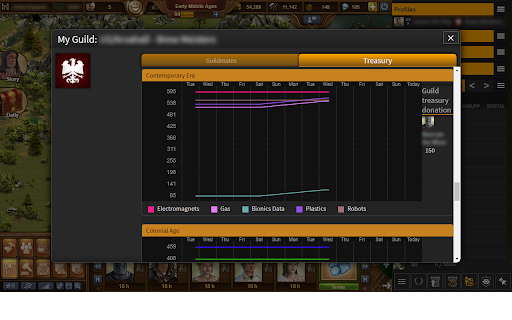
- Your guild treasury trends, contributions, expenditures
- City output statistics
- And more!
ForgeCommander also brings along additional features
- Direct messaging chat across worlds and servers with other FoE players
- Multiple FoE world gameplay with easy tab switching between worlds
- Much more player, guild and greatbuilding ranking data and options for seeing who
is the best at which category
- Great Building leveling tools
- Great building snipe calculations
- Guild, private and public chatrooms to help you keep your mates and friends
organized and intune with what is happening on your world while they might be
playing in a different world at the time
- Profile management
- Other tools to help you manage resources or trends and more!
Get started over at ForgeCommander.com by signing up today!
| 分类 | 🎉趣味休闲 |
| 插件标识 | mfdeccgkoldiahiohijhlnkgjbofohip |
| 平台 | Chrome |
| 评分 |
☆☆☆☆☆
|
| 评分人数 | |
| 插件主页 | https://chromewebstore.google.com/detail/forgecommander-integratio/mfdeccgkoldiahiohijhlnkgjbofohip |
| 版本号 | 3.0.0.18 |
| 大小 | 27.47KiB |
| 官网下载次数 | 921 |
| 下载地址 | |
| 更新时间 | 2021-07-19 00:00:00 |
CRX扩展文件安装方法
第1步: 打开Chrome浏览器的扩展程序
第2步:
在地址栏输入: chrome://extensions/
第3步: 开启右上角的【开发者模式】
第4步: 重启Chrome浏览器 (重要操作)
第5步: 重新打开扩展程序管理界面
第6步: 将下载的crx文件直接拖入页面完成安装
注意:请确保使用最新版本的Chrome浏览器