
Committed - NewTab Todo and Goal Manager Chrome 插件, crx 扩展下载
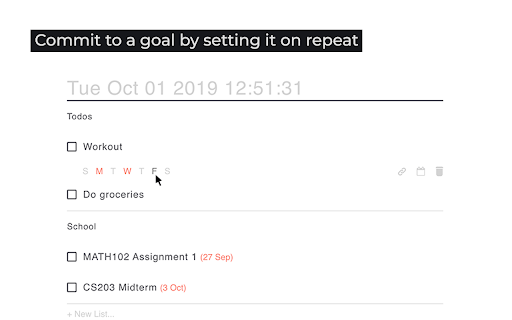
Manage your weekly goals and todos in your newtab
Manage your weekly goals and todos in your NewTab!
*IMPORTANT*
If your extension is showing a blank page, try
- removing the extension and reinstalling,
- if the issue persists, please email me at [email protected]
Features:
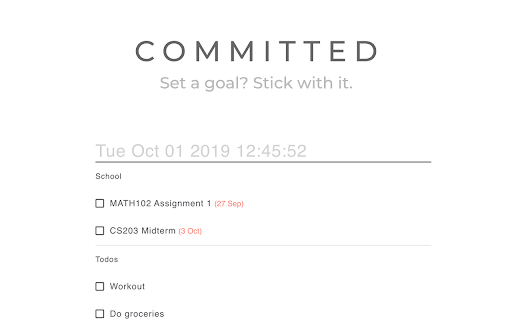
- Keep track of the time and your todos in a clean interface
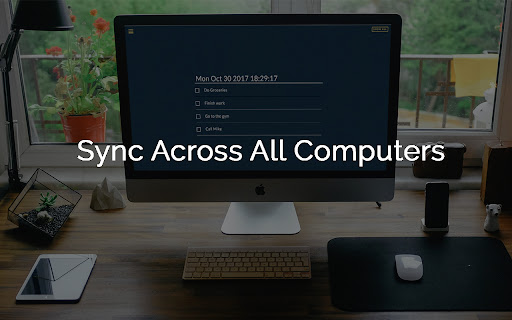
- Data synchronization across all Chrome browsers that you're logged into
- Create a goal by setting a todo on repeat
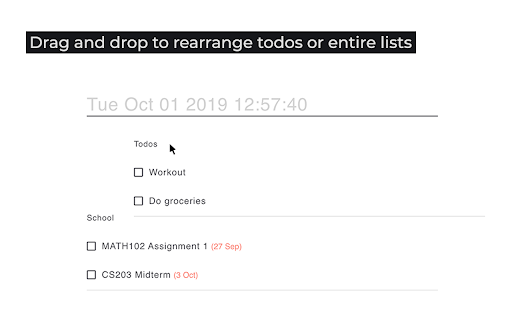
- Drag-and-drop to organize your list
- Add a due date / link to your todos
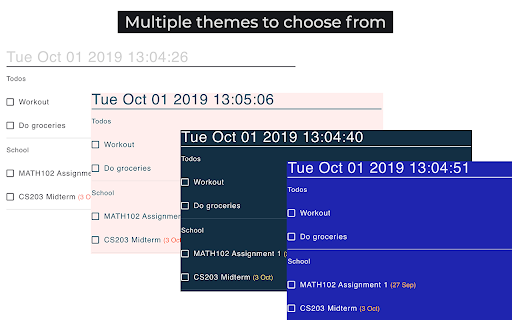
- Change the look of the page by selecting a theme
- Free and ads-free
Update 3.0.3 *NEW*
- added a link to Committed's source code in the side menu so anyone interested can contribute!
Update 3.0.2
- you can now choose to store your todos in either local storage or Chrome storage
- bug fix
Update 3.0.1
- create lists of todos
- add links to todos
- customize clock and what todos to show in the side menu
Update 2.0.0:
- now you can choose from 6 beautiful themes
- data is synchronized across all Chrome browsers that you're logged into
Update 1.1.1:
- now you can finish editing a task by pressing enter
Update 1.1.0:
- new functionality: add a duedate to your todos by with the calendar
Update 1.0.3:
- bug fix for Windows
Update 1.0.2:
- bug fix
- aesthetic change to popup menu
- added hint text when there's no task
Update 1.0.1:
- you can now click on the Committed icon and view your tasks in a popup menu!
***Sometimes Chrome hides your bookmarks after installing the extension, to display them again, go to "Menu > Bookmarks > Show Bookmarks Bar"***
| 分类 | ⚙️功能性 |
| 插件标识 | mffcogdacgpjnckjepacaicfliaocneb |
| 平台 | Chrome |
| 评分 |
☆☆☆☆☆
|
| 评分人数 | |
| 插件主页 | https://chromewebstore.google.com/detail/committed-newtab-todo-and/mffcogdacgpjnckjepacaicfliaocneb |
| 版本号 | 5.11.5 |
| 大小 | 620KiB |
| 官网下载次数 | 2000 |
| 下载地址 | |
| 更新时间 | 2019-10-28 00:00:00 |
CRX扩展文件安装方法
第1步: 打开Chrome浏览器的扩展程序
第2步:
在地址栏输入: chrome://extensions/
第3步: 开启右上角的【开发者模式】
第4步: 重启Chrome浏览器 (重要操作)
第5步: 重新打开扩展程序管理界面
第6步: 将下载的crx文件直接拖入页面完成安装
注意:请确保使用最新版本的Chrome浏览器