
PhishBlock Chrome 插件, crx 扩展下载
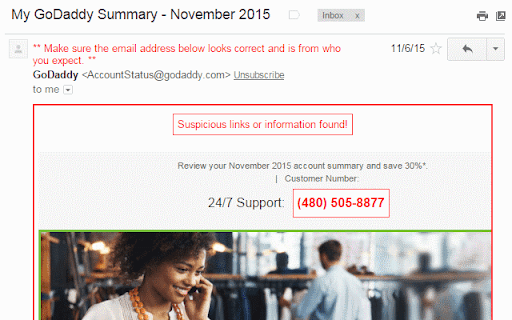
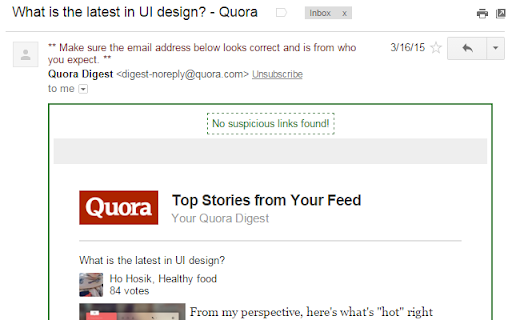
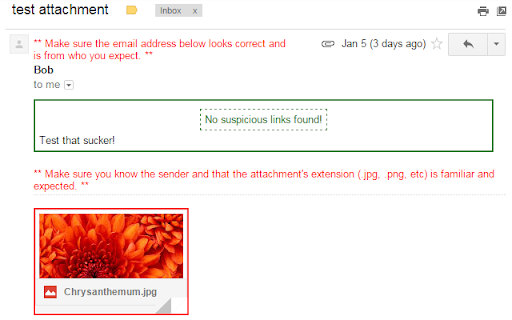
Helps to block phishing attempts through email.
Phishing attempts happen every day, all the time.
We know we should be super wary of links and phone numbers in emails. We know we should check the sender address and make sure it's correct.
This plugin helps with this idea. It looks at the sender's email address and compares it to any links in the email. If any information looks off or is unverifiable, it marks it in red. If everything looks good, it marks the email in green.
Currently the plugin only works in Gmail. After installing, if you have Gmail open, close that tab and reopen it.
This is an open source project.
*Note: You should always see a green or red box around the email content. I wrote this plugin over Gmail (it integrates with their code) so when they update, it might make this plugin stop integrating. Please let me know and I will fix it as soon as possible.
| 分类 | 📝工作流程与规划 |
| 插件标识 | mfigocgdflddipodffjfpbjmplhhfbeh |
| 平台 | Chrome |
| 评分 |
☆☆☆☆☆
|
| 评分人数 | |
| 插件主页 | https://chromewebstore.google.com/detail/phishblock/mfigocgdflddipodffjfpbjmplhhfbeh |
| 版本号 | 25.2.3.0 |
| 大小 | 45.73KiB |
| 官网下载次数 | 62 |
| 下载地址 | |
| 更新时间 | 2017-03-01 00:00:00 |
CRX扩展文件安装方法
第1步: 打开Chrome浏览器的扩展程序
第2步:
在地址栏输入: chrome://extensions/
第3步: 开启右上角的【开发者模式】
第4步: 重启Chrome浏览器 (重要操作)
第5步: 重新打开扩展程序管理界面
第6步: 将下载的crx文件直接拖入页面完成安装
注意:请确保使用最新版本的Chrome浏览器