
Chromium CodeSearch Theme Chrome 插件, crx 扩展下载
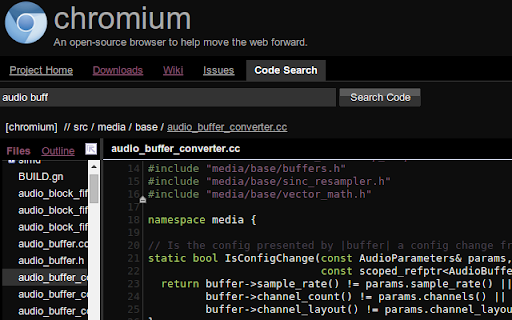
Displays chromium code search in a customized theme
Ideal for Chromium devs!
Simple extension to help you rest your eyes while navigating the source tree.
Supporting themes:
- Monokai
- Twilight
- Space cadet
- Blackboard
- Espresso Libre
- Pastels on Dark
- Zenburnesque
- Cobalt [new: Sep 17]
Shortcuts:
- Next theme: CTRL + SHIFT + L.
- Previous theme: CTRL + SHIFT + K.
Fork and send pull requests for updates:
https://github.com/kristijanburnik/codesearch-theme
---
More style coverage is incrementally added.
New themes and features coming nightly!
Please comment and report missing parts and/or bugs.
| 分类 | 📝工作流程与规划 |
| 插件标识 | mfknemlbeilclnbkfelgpldgnbnekeol |
| 平台 | Chrome |
| 评分 |
☆☆☆☆☆
|
| 评分人数 | |
| 插件主页 | https://chromewebstore.google.com/detail/chromium-codesearch-theme/mfknemlbeilclnbkfelgpldgnbnekeol |
| 版本号 | 1.6.0 |
| 大小 | 54.07KiB |
| 官网下载次数 | 48 |
| 下载地址 | |
| 更新时间 | 2014-10-12 00:00:00 |
CRX扩展文件安装方法
第1步: 打开Chrome浏览器的扩展程序
第2步:
在地址栏输入: chrome://extensions/
第3步: 开启右上角的【开发者模式】
第4步: 重启Chrome浏览器 (重要操作)
第5步: 重新打开扩展程序管理界面
第6步: 将下载的crx文件直接拖入页面完成安装
注意:请确保使用最新版本的Chrome浏览器