
WaniKanify 2.0 Chrome 插件, crx 扩展下载
A tool for reinforcing your WaniKani vocabulary.
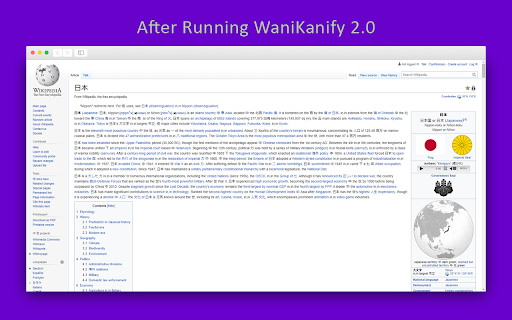
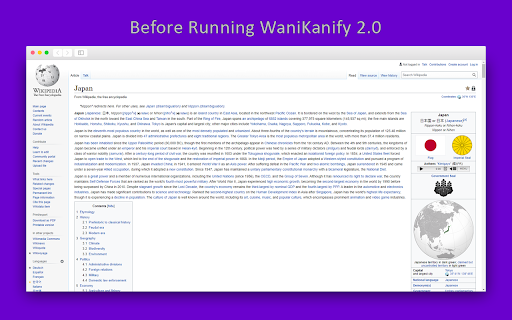
WaniKanify 2.0 takes the vocabulary you've studied on WaniKani, finds the English word on a webpage and substitutes the kanji character. As you learn more kanji, your webpages begin to fill up with kanji! WaniKanify 2.0 can find words anywhere on a webpage and replace it for kanji characters. It is a great utility for practicing and recalling vocabulary you may have forgotten.
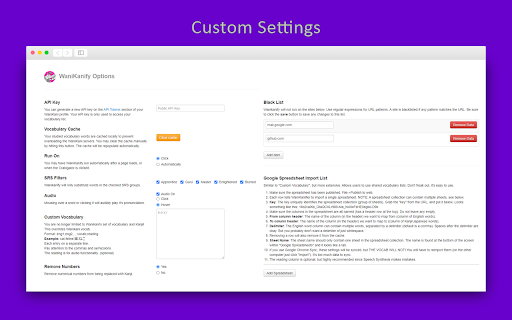
To get started, install the extension, and go to the options page. Add your public WaniKani API key, which can be found on the WaniKani website, and hit save.
Navigate to your favorite webpages, hit the Crabigator and read as normal. As you read, you'll come across kanji characters you should know. Do you remember what the mean? How to pronounce them?
You can test the extension out by installing the Chrome Extension and viewing this simple pastebin page:
https://pastebin.com/raw/9hDg3y6A
Have a suggestion, want to contribute, or found an issue?
View the GitHub project for WaniKani 2.0 here:
https://github.com/ThePieMonster/WaniKanify-2.0
| 分类 | 📝工作流程与规划 |
| 插件标识 | mgnblnbdmneollbncamkogcpgpjgekpf |
| 平台 | Chrome |
| 评分 |
☆☆☆☆☆
|
| 评分人数 | |
| 插件主页 | https://chromewebstore.google.com/detail/wanikanify-20/mgnblnbdmneollbncamkogcpgpjgekpf |
| 版本号 | 2.0.5 |
| 大小 | 272KiB |
| 官网下载次数 | 1000 |
| 下载地址 | |
| 更新时间 | 2021-04-28 00:00:00 |
CRX扩展文件安装方法
第1步: 打开Chrome浏览器的扩展程序
第2步:
在地址栏输入: chrome://extensions/
第3步: 开启右上角的【开发者模式】
第4步: 重启Chrome浏览器 (重要操作)
第5步: 重新打开扩展程序管理界面
第6步: 将下载的crx文件直接拖入页面完成安装
注意:请确保使用最新版本的Chrome浏览器