
TiffOne Chrome 插件, crx 扩展下载

View embedded TIFF files and AlternaTIFF objects directly in your browser.
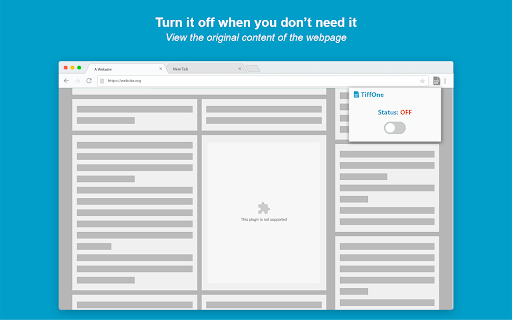
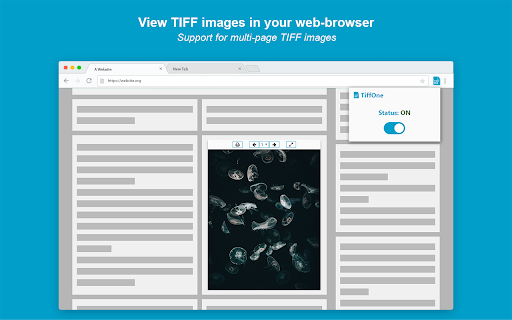
TiffOne is a browser extension that lets you view TIFF images in your browser. It scans the page, looking for images that have a "tiff" or "tif" extension, and converts those images into HTML canvases, which can then be displayed by modern browsers. TiffOne supports the multi-page functionality of TIFF images, which can be accessed by the header menu right above the displayed image. The extension provides a full screen functionality, and a print option for easy viewing and saving of the images. The extension can be turned off when not needed from the popup menu of the browser icon.
TiffOne currently supports all Chromium based browsers, but it has only been tested on Google Chrome and Chromium based Microsoft Edge.
The extension is only handling TIFF files, and does not collect or analyze any other data. The purpose of this extension is solely to display TIFF files in the browser, to give a convenient way to view them.
Full source code can be found at: https://github.com/Vogete/TiffOne
Problems, issues, feature requests can be submitted to: https://github.com/Vogete/TiffOne/issues
| 分类 | 📝工作流程与规划 |
| 插件标识 | mhdcjcilknaincbghadamlbdfgnpcebg |
| 平台 | Chrome |
| 评分 |
☆☆☆☆☆
|
| 评分人数 | |
| 插件主页 | https://chromewebstore.google.com/detail/tiffone/mhdcjcilknaincbghadamlbdfgnpcebg |
| 版本号 | 25.2.3.0 |
| 大小 | 1.42MiB |
| 官网下载次数 | 5000 |
| 下载地址 | |
| 更新时间 | 2020-04-08 00:00:00 |
CRX扩展文件安装方法
第1步: 打开Chrome浏览器的扩展程序
第2步:
在地址栏输入: chrome://extensions/
第3步: 开启右上角的【开发者模式】
第4步: 重启Chrome浏览器 (重要操作)
第5步: 重新打开扩展程序管理界面
第6步: 将下载的crx文件直接拖入页面完成安装
注意:请确保使用最新版本的Chrome浏览器