
ClockAssist Chrome 插件, crx 扩展下载
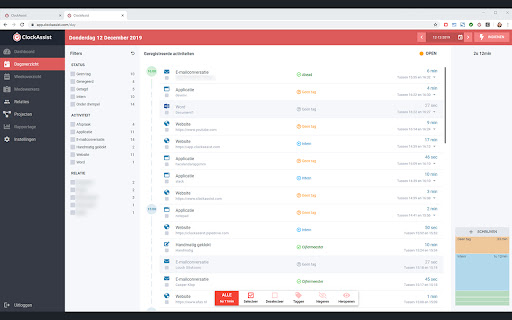

Chrome-client voor het ClockAssist-platform voor automatische urenregistratie.
ClockAssist is a Dutch startup which specialises in automatic timelogging, focussed on financial professionals. We're currenlty still in development and this Chrome-extension is a major part in our service. This chrome-extensions provides the automated time-logging of professional webapplications accountants use and pushes it to our main ClockAssist application which runs on the users computer. This way we can automatically tell the user in which online webapplication they have spent their time and on what client.
| 分类 | 📝工作流程与规划 |
| 插件标识 | mhnfimcmplkeginbdeamagfdjckdgagg |
| 平台 | Chrome |
| 评分 |
☆☆☆☆☆
|
| 评分人数 | |
| 插件主页 | https://chromewebstore.google.com/detail/clockassist/mhnfimcmplkeginbdeamagfdjckdgagg |
| 版本号 | 25.2.3.0 |
| 大小 | 154KiB |
| 官网下载次数 | 311 |
| 下载地址 | |
| 更新时间 | 2024-05-14 00:00:00 |
CRX扩展文件安装方法
第1步: 打开Chrome浏览器的扩展程序
第2步:
在地址栏输入: chrome://extensions/
第3步: 开启右上角的【开发者模式】
第4步: 重启Chrome浏览器 (重要操作)
第5步: 重新打开扩展程序管理界面
第6步: 将下载的crx文件直接拖入页面完成安装
注意:请确保使用最新版本的Chrome浏览器