
Better Font Chrome 插件, crx 扩展下载
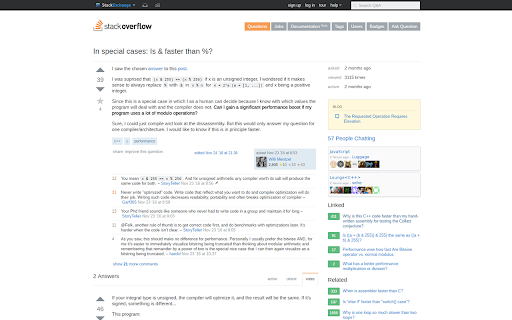



Improve websites appearance on Google Chome with better fonts replacement.
Announcement:
With the new version 5.0 many fonts will be replaced by the newly selected cuter ones, aggressively. That's why the extension icon turns red.
General Information:
Many websites set to display Mac fonts like Helvetica and Helvetica Neue for their content as default. Windows doesn’t have any of them, so it will try to display another fonts instead. The bad part is, it selects the not-so-good ones for substitution.
This extension will do the fonts replacements in the background one-by-one. It's supposed to make web pages look a lot better in Windows system. The example ones are GMail Inbox, many subreddits, BBC, JIRA, and many more.
What makes this extension special is the way it replaces fonts. The other extensions will replace ALL the fonts on the page with the ONE font you configure, so the page displays with that one font.
On the other hand, this extension will replace just the fonts in the 'ugly' list with the better ones from their families. The fonts are embedded so no additional internet request is made.
Please report any issues you found, it would be much appreciated.
| 分类 | 📝工作流程与规划 |
| 插件标识 | mhppkgcpdimcnbenbdbodaceilidgmfp |
| 平台 | Chrome |
| 评分 |
☆☆☆☆☆
|
| 评分人数 | |
| 插件主页 | https://chromewebstore.google.com/detail/better-font/mhppkgcpdimcnbenbdbodaceilidgmfp |
| 版本号 | 2.1.1 |
| 大小 | 294KiB |
| 官网下载次数 | 424 |
| 下载地址 | |
| 更新时间 | 2020-03-07 00:00:00 |
CRX扩展文件安装方法
第1步: 打开Chrome浏览器的扩展程序
第2步:
在地址栏输入: chrome://extensions/
第3步: 开启右上角的【开发者模式】
第4步: 重启Chrome浏览器 (重要操作)
第5步: 重新打开扩展程序管理界面
第6步: 将下载的crx文件直接拖入页面完成安装
注意:请确保使用最新版本的Chrome浏览器