
Qotter Copy & Show Chrome 插件, crx 扩展下载
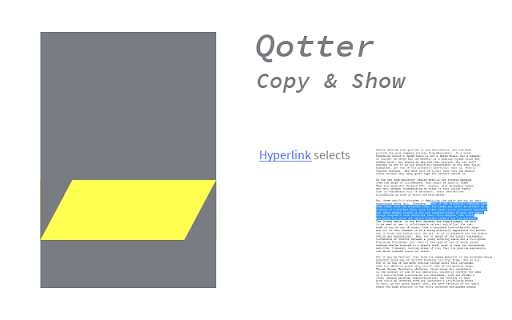
Shows quotations on webpages. Converts a text selection into a link. Follows such a link and selects the according text.
If someone wanted to show to you a text on a webpage, he would have sent a link and told You to press CTRL+F and enter a certain text.
Qotter Copy&Show lets you
* select some text on a webpage and send this selection to someone.
* Open the according webpage and get the selection highlighted automatically.
Usage:
You have selected some text on a webpage. Now you turn this selection into a link by
* pressing CTRL+ALT+C
* clicking the symbol with the yellow highlight
* a right mouse button click that opens the context menu and selecting "Create Copy & Show Link".
An animation of the qotter symbol confirms that the link is copied to the clipboard. You can paste this link into any document as you are used to by pressing CTRL+V or RMB -> paste.
If you click on such a link with the addon installed, the browser will open the according page and select the exact passage you had selected initially.
Because these links tend to be very long, with the RMB you can select the function "Create HTML Link". In a html document such a link will be displayed much prettier.
This extension is based on an idea by Gervase Markham.
| 分类 | ♿无障碍访问 |
| 插件标识 | mijkhgchgebecnikbegpfhiikhomejlc |
| 平台 | Chrome |
| 评分 |
☆☆☆☆☆
|
| 评分人数 | |
| 插件主页 | https://chromewebstore.google.com/detail/qotter-copy-show/mijkhgchgebecnikbegpfhiikhomejlc |
| 版本号 | 1.1.9 |
| 大小 | 12.37KiB |
| 官网下载次数 | 24 |
| 下载地址 | |
| 更新时间 | 2017-06-18 00:00:00 |
CRX扩展文件安装方法
第1步: 打开Chrome浏览器的扩展程序
第2步:
在地址栏输入: chrome://extensions/
第3步: 开启右上角的【开发者模式】
第4步: 重启Chrome浏览器 (重要操作)
第5步: 重新打开扩展程序管理界面
第6步: 将下载的crx文件直接拖入页面完成安装
注意:请确保使用最新版本的Chrome浏览器