
ABBAdata CSS Selector Finder Chrome 插件, crx 扩展下载
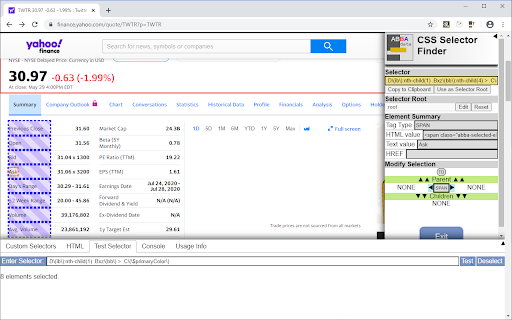
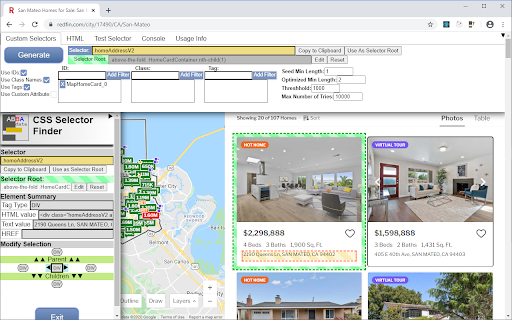

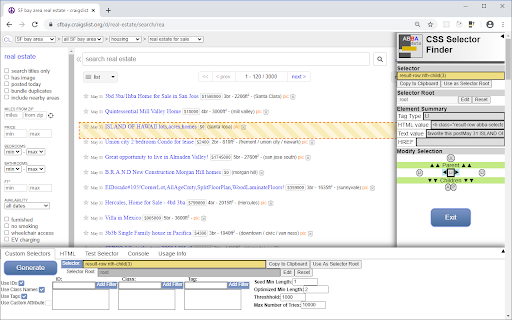
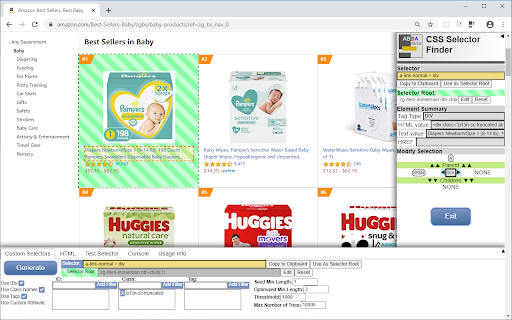
Easy, powerful, and interactive way to find unique CSS selectors for any DOM element.
Find unique CSS Selectors on any page element using a control panel that constantly updates as elements are clicked on.
Contains the following features:
- Highly customizable CSS selector generation:
- Enable/Disable IDs, class names, tag names
- Filter out specific IDs, class names, tag names
- Use specific attributes and/or attribute values
- Use alternate selector root elements
- Easy interface for testing arbitrary CSS selectors and seeing all matched elements get highlighted, as well as getting a total count of matched elements
- Easy navigation through DOM tree using alternate navigation feature. This enabled non-displayed elements to be selected
| 分类 | 💻开发者工具 |
| 插件标识 | mjbofijjejpdldklldknobfegdjmmlbc |
| 平台 | Chrome |
| 评分 |
☆☆☆☆☆
|
| 评分人数 | |
| 插件主页 | https://chromewebstore.google.com/detail/abbadata-css-selector-fin/mjbofijjejpdldklldknobfegdjmmlbc |
| 版本号 | 0.6.1 |
| 大小 | 336KiB |
| 官网下载次数 | 1000 |
| 下载地址 | |
| 更新时间 | 2020-12-12 00:00:00 |
CRX扩展文件安装方法
第1步: 打开Chrome浏览器的扩展程序
第2步:
在地址栏输入: chrome://extensions/
第3步: 开启右上角的【开发者模式】
第4步: 重启Chrome浏览器 (重要操作)
第5步: 重新打开扩展程序管理界面
第6步: 将下载的crx文件直接拖入页面完成安装
注意:请确保使用最新版本的Chrome浏览器