
Emoji Inserter Chrome 插件, crx 扩展下载
An extension that makes it easier to insert emojis on the web
Guaranteed to be the fastest emoji find and insert experience that works across the whole web, or your money back ?
--
Finding the right emoji to express how you're feeling is exciting, expressive, and on the open web, difficult. If you find yourself Googling the names of your favorite emoji, only to copy paste them where you want them to be, you're in the right place.
Emoji Inserter lets you quickly insert emoji while on the web using lightning fast search and easy to use keyboard shortcuts to let you find, copy, and paste any emoji faster and more easily than ever before.
To get started (and become a power user - all in one go):
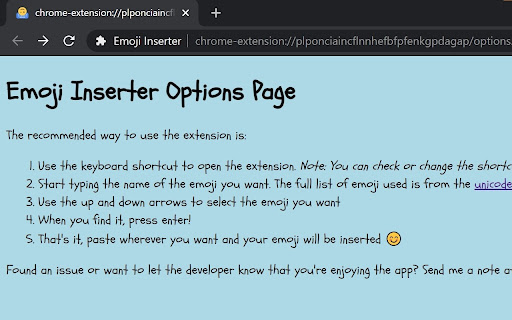
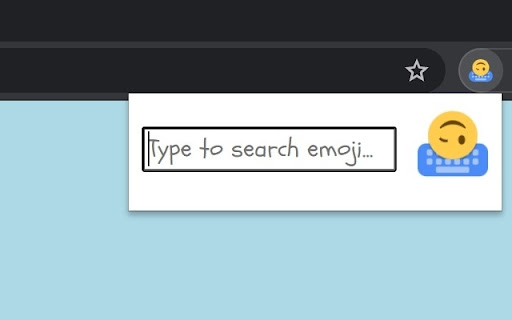
1. Use the keyboard shortcut to open the extension. Note: You can check or change the shortcut at chrome://extensions/shortcuts
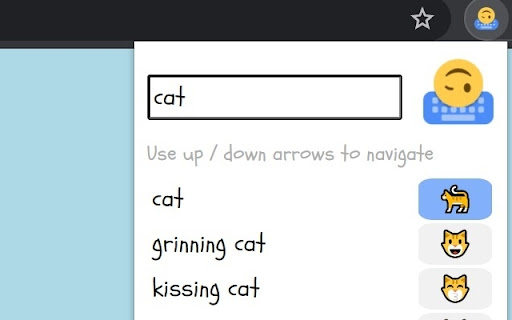
2. Start typing the name of the emoji you want.
3. Use the up and down arrows to select the emoji you want.
4. When you find it, press enter!
5. That's it, it's copied to your clipboard. Paste wherever you want and your emoji will be inserted ?
| 分类 | 🎉趣味休闲 |
| 插件标识 | mjnjfobmbncjcnljijdminfccdhfoeif |
| 平台 | Chrome |
| 评分 |
☆☆☆☆☆
|
| 评分人数 | |
| 插件主页 | https://chromewebstore.google.com/detail/emoji-inserter/mjnjfobmbncjcnljijdminfccdhfoeif |
| 版本号 | 1.2 |
| 大小 | 350KiB |
| 官网下载次数 | 49 |
| 下载地址 | |
| 更新时间 | 2021-11-09 00:00:00 |
CRX扩展文件安装方法
第1步: 打开Chrome浏览器的扩展程序
第2步:
在地址栏输入: chrome://extensions/
第3步: 开启右上角的【开发者模式】
第4步: 重启Chrome浏览器 (重要操作)
第5步: 重新打开扩展程序管理界面
第6步: 将下载的crx文件直接拖入页面完成安装
注意:请确保使用最新版本的Chrome浏览器