
Fynd Now Chrome 插件, crx 扩展下载

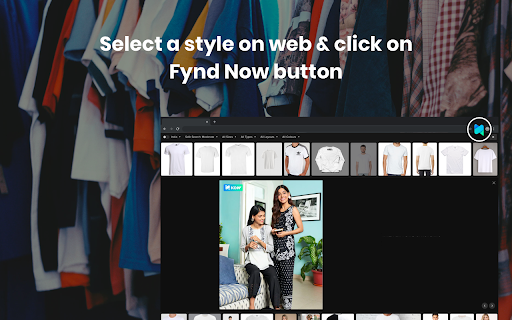

Get inspired on the web and shop the look. Select any image while browsing and search similar styles from the entire Fynd catalogue.
Every day we come across numerous fashion inspirations and references on the internet. But we don’t know where to buy them from. Fynd Now is one of Fynd's attempt to make shopping hassle-free for customers. Use this extension to search visually similar products from any reference images. Clicking on the suggested products in the search results will redirects to fynd.com for detailed product information. Checkout seamlessly and get superfast delivery at your doorstep.
Features:
- Find Similar: Gives visual similar products to the query image.
- Shop the Look: Extracts all products in a query image and return similar products.
How to Use Fynd Now Extension:
- From Entire Images:
- Alt + Left Click on any image on any site to Find Similars.
- Shift + Left Click on any image on any site to query Shop the Look.
- Screenshot: Click on icon to choose either “Find Similar” or “Shop the Look”. Click and drag to capture an image area to start searching.
- Press Escape key, click outside the Fynd Now popup or click the cross button to exit the extension.
Select any products from the extension search results to get redirected to fynd.com for product details. You can then buy the product and be trendy!
| 分类 | 🛠️工具 |
| 插件标识 | mkgihmocikcoefehpfpbjmgboghkchia |
| 平台 | Chrome |
| 评分 |
☆☆☆☆☆
|
| 评分人数 | |
| 插件主页 | https://chromewebstore.google.com/detail/fynd-now/mkgihmocikcoefehpfpbjmgboghkchia |
| 版本号 | 1.0.0.47 |
| 大小 | 95.24KiB |
| 官网下载次数 | 29 |
| 下载地址 | |
| 更新时间 | 2020-01-09 00:00:00 |
CRX扩展文件安装方法
第1步: 打开Chrome浏览器的扩展程序
第2步:
在地址栏输入: chrome://extensions/
第3步: 开启右上角的【开发者模式】
第4步: 重启Chrome浏览器 (重要操作)
第5步: 重新打开扩展程序管理界面
第6步: 将下载的crx文件直接拖入页面完成安装
注意:请确保使用最新版本的Chrome浏览器