
Eat Paper Chrome 插件, crx 扩展下载
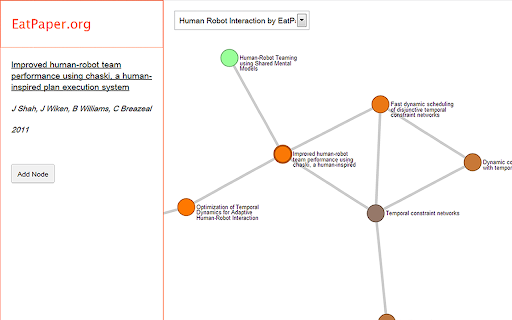
A tool to save Google Scholar results graphically
This is a tool I made to organize the papers and websites I read. Each publication or website would be visualized as a node and you could link them together visually.
The steps to add a publication node are easy, but you need to register on EatPaper.org first.
1. Search for a paper on Google Scholar.
2. Click the Eat Paper button.
3. Click on the paper you want to save.
4. Pick the graph you want to save it to.
5. View results on EatPaper.org
To add a website node you just need to click on the Eat Paper button when you are viewing the website.
| 分类 | 🛠️工具 |
| 插件标识 | mkjgpmohehpbgekjbfdmajlnojepffae |
| 平台 | Chrome |
| 评分 |
☆☆☆☆☆
|
| 评分人数 | |
| 插件主页 | https://chromewebstore.google.com/detail/eat-paper/mkjgpmohehpbgekjbfdmajlnojepffae |
| 版本号 | 1.1.8 |
| 大小 | 15.34KiB |
| 官网下载次数 | 504 |
| 下载地址 | |
| 更新时间 | 2017-12-19 00:00:00 |
CRX扩展文件安装方法
第1步: 打开Chrome浏览器的扩展程序
第2步:
在地址栏输入: chrome://extensions/
第3步: 开启右上角的【开发者模式】
第4步: 重启Chrome浏览器 (重要操作)
第5步: 重新打开扩展程序管理界面
第6步: 将下载的crx文件直接拖入页面完成安装
注意:请确保使用最新版本的Chrome浏览器