
HGLT Chrome 插件, crx 扩展下载
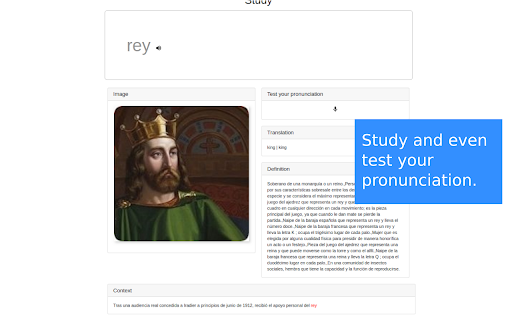
HGLT is designed primarily to learn languages while visiting websites, but could be used to learn or remember many other things.…
HGLT is designed primarily to learn languages while visiting websites, but could be used to learn or remember many other things. HGLT has no servers behind or databases, so it does not store any kind of information, personal or not. We do not use any external API, we open tabs and copy the texts and links as you could do.
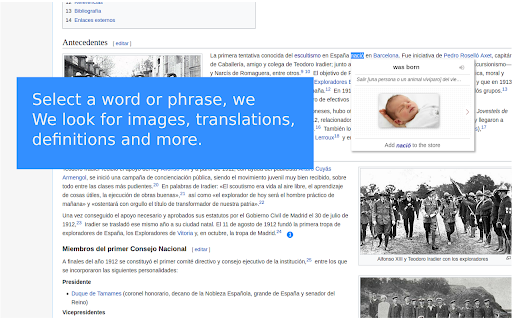
When you select a word or phrase, this happens:
- HGLT opens two pinned tabs (not focused) and looks for the translation, definition, and images of the word or phrase for you.
- Then, HGLT puts all the collected results in a tooltip near the selection, along with the pronunciation.
When HGTL is active and available on certain web site you will be able to:
- See all the information collected in a tooltip near the selection (you could decide what information will show the tooltip).
- In that tooltip, we could also hear the pronunciation of that word or phrase.
- You could choose between different translations, different definitions and different images.
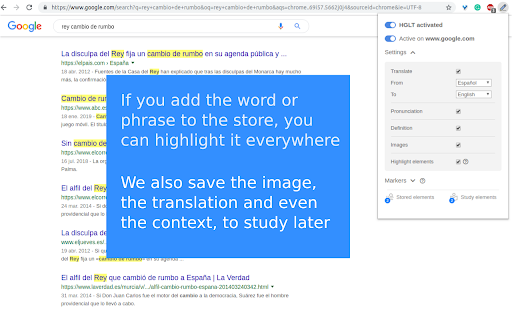
- You can store that word or phrase previously selected and the information collected by HGLT.
- You can also study those elements using the same algorithm as Memrise, Duolingo or Ankidroid.
- In the study section, you can also test your pronunciation against the original pronunciation.
Settings
We can choose what to see in the tooltip and what languages to use. Depends on what you want to study you could change the settings to feel comfortable.
Stored elements
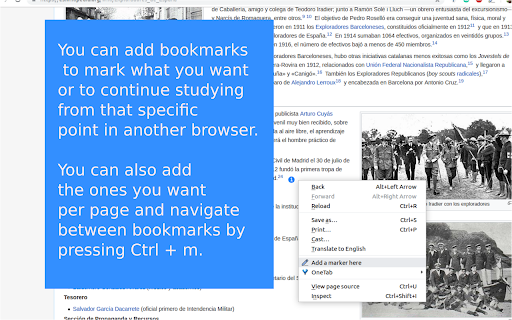
Once you decide that certain word or phrase deserves to be stored because you think that word or phrase is relevant to remember, you should click on "Add _the word or phrase_ to the store". You can access the stored elements by clicking on the tooltip (after one element was added) or in the popup. In the stored elements page, you can remove items and see all the stored information. So far information is stored locally, this means information is not shared between browsers but I'm testing a new way to share info between browsers.
Study
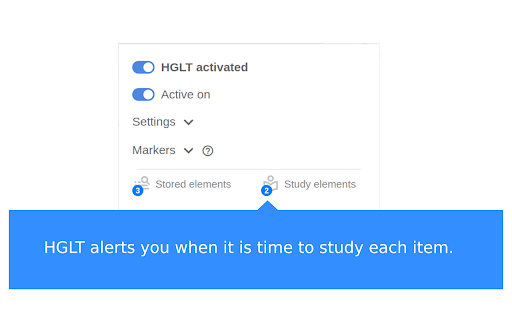
Since we store elements, a badge appears in the popup menu.
Each day, a badge warns you about the items available to study that day. In each study session, you should evaluate how well you remembered that element and the algorithm decides when it will be the best time to revisit that element.
I hope this extension is useful to you as much as it is to me.
| 分类 | 📝工作流程与规划 |
| 插件标识 | mlddpeniehkpamjgppiinfopkojahbpm |
| 平台 | Chrome |
| 评分 |
☆☆☆☆☆
|
| 评分人数 | |
| 插件主页 | https://chromewebstore.google.com/detail/hglt/mlddpeniehkpamjgppiinfopkojahbpm |
| 版本号 | 25.2.3.0 |
| 大小 | 75.74KiB |
| 官网下载次数 | 40 |
| 下载地址 | |
| 更新时间 | 2020-02-29 00:00:00 |
CRX扩展文件安装方法
第1步: 打开Chrome浏览器的扩展程序
第2步:
在地址栏输入: chrome://extensions/
第3步: 开启右上角的【开发者模式】
第4步: 重启Chrome浏览器 (重要操作)
第5步: 重新打开扩展程序管理界面
第6步: 将下载的crx文件直接拖入页面完成安装
注意:请确保使用最新版本的Chrome浏览器