
PageRank Display Chrome 插件, crx 扩展下载
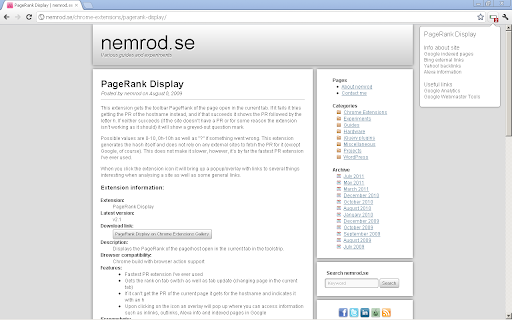
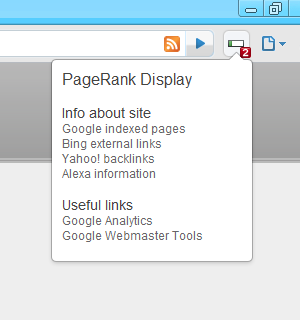


Displays the PageRank of open page with icon and badge. Quick access to Alexa, backlinks and indexed pages in the popup.
This extension gets the toolbar PageRank of the page open in the current tab. If it fails it tries getting the PR of the hostname instead, and if that succeeds it shows the PR followed by the letter h. If neither succeeds (if the site doesn't have a PR or for some reason the extension isn't working as it should) it will show a greyed-out question mark.
Possible values are 0-10, 0h-10h as well as ? if something went wrong. This extension generates the hash itself and does not rely on any external sites to fetch the PR for it (except Google, of course). This does not make it slower, however, it's by far the fastest PR extension I've ever used.
When you click the extension icon it will bring up a popup/overlay with links to several things interesting when analysing a site, such as pages indexed by Google, Alexa information and backlinks from Yahoo! Site Explorer.
Revision history:
v2.1 [2009-12-12 23:50]: Added a popup with links to do a Google site: search etc.
v2.2 [2009-12-14 23:37]: Some slight code improvements for speed.
v2.3 [2010-01-13 02:44]: Code improvement + the addition of PR display by icon
v2.4 [2011-10-07 02:11]: Updated to reflect the changes in the toolbar PR URL
v2.5 [2013-06-19 13:47]: Updated to be compliant with manifest v2, changed yahoo site explorer to open site explorer
| 分类 | 💻开发者工具 |
| 插件标识 | mmhofljhcphkbkjmhaiagmbajikkfnep |
| 平台 | Chrome |
| 评分 |
☆☆☆☆☆
|
| 评分人数 | |
| 插件主页 | https://chromewebstore.google.com/detail/pagerank-display/mmhofljhcphkbkjmhaiagmbajikkfnep |
| 版本号 | 8.3 |
| 大小 | 20.83KiB |
| 官网下载次数 | 6000 |
| 下载地址 | |
| 更新时间 | 2013-06-19 00:00:00 |
CRX扩展文件安装方法
第1步: 打开Chrome浏览器的扩展程序
第2步:
在地址栏输入: chrome://extensions/
第3步: 开启右上角的【开发者模式】
第4步: 重启Chrome浏览器 (重要操作)
第5步: 重新打开扩展程序管理界面
第6步: 将下载的crx文件直接拖入页面完成安装
注意:请确保使用最新版本的Chrome浏览器