
360Cities Tab Extension Chrome 插件, crx 扩展下载
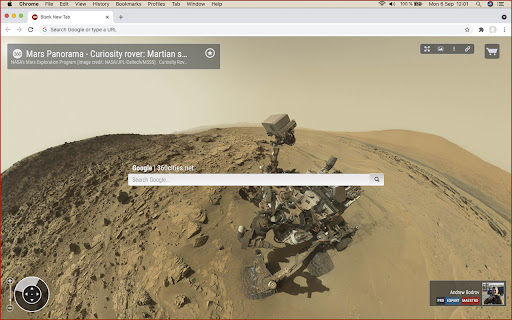
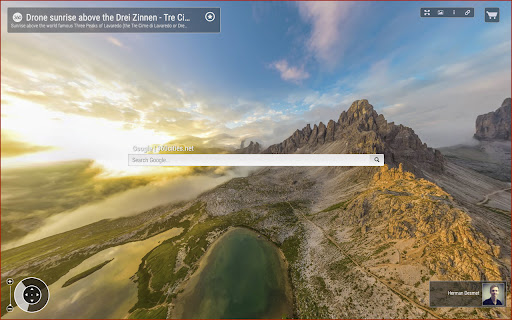
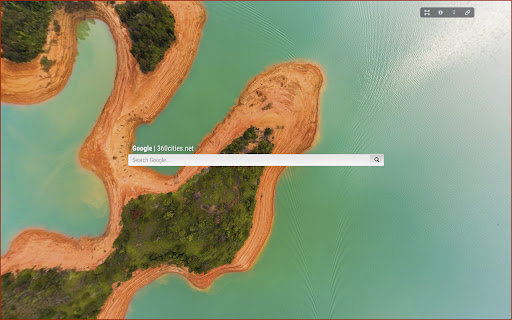
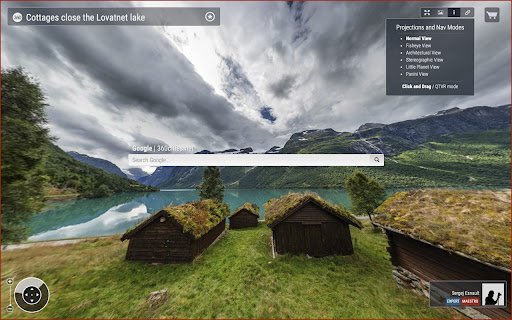
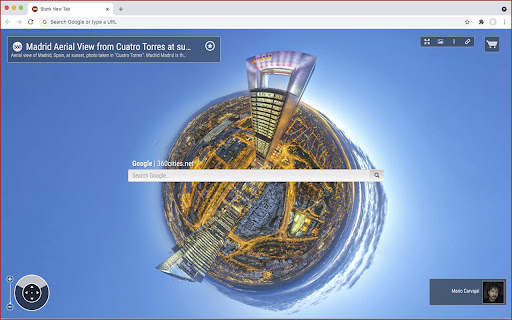
Get an awesome interactive panorama when opening a new tab in your Chrome browser
360cities.net is the web’s largest collection of stunning, geo-referenced, interactive 360-degree panoramic photos, created by a network of thousands of the finest panorama photographers from around the world.
The 360Cities tab extension allows you to:
• View an interactive 360-degree photo on each new tab on your Chrome browser
• Pan 360 degrees around and 180 degrees up and down for a fully spherical view
• Zoom in and out to see amazing detail
• View the panorama in full screen
• Choose from six different projections and two navigation modes
• Click to view the profile page of the photographer on 360cities.net
• Share the panorama on social media and embed in your non-commercial website or blog
• Click on a shopping cart to license the image for editorial or commercial usage
• Search Google and 360Cities
| 分类 | 🎨艺术与设计 |
| 插件标识 | mneedknmibimgcdecijkdflphmlhncop |
| 平台 | Chrome |
| 评分 |
☆☆☆☆☆
|
| 评分人数 | |
| 插件主页 | https://chromewebstore.google.com/detail/360cities-tab-extension/mneedknmibimgcdecijkdflphmlhncop |
| 版本号 | 1.2.5 |
| 大小 | 1.52MiB |
| 官网下载次数 | 338 |
| 下载地址 | |
| 更新时间 | 2021-09-09 00:00:00 |
CRX扩展文件安装方法
第1步: 打开Chrome浏览器的扩展程序
第2步:
在地址栏输入: chrome://extensions/
第3步: 开启右上角的【开发者模式】
第4步: 重启Chrome浏览器 (重要操作)
第5步: 重新打开扩展程序管理界面
第6步: 将下载的crx文件直接拖入页面完成安装
注意:请确保使用最新版本的Chrome浏览器